
EFT EFT Pro Dongle Update V5.5.6 [Apple] Ramdisk Passcode Backup & Restore Support

EFT Dongle

GsmToto

Super Moderator
Jan 1, 2021
5,984
22,615
UK
Skype
gsmtoto
Sonork ID
100.1684601
EFT-Dongle-Update-5-2.png

EFT Pro Dongle Update V5.5.6 is released :

Release Date: 08-03-2026

What’s New in This Update?

[Apple - Ramdisk]

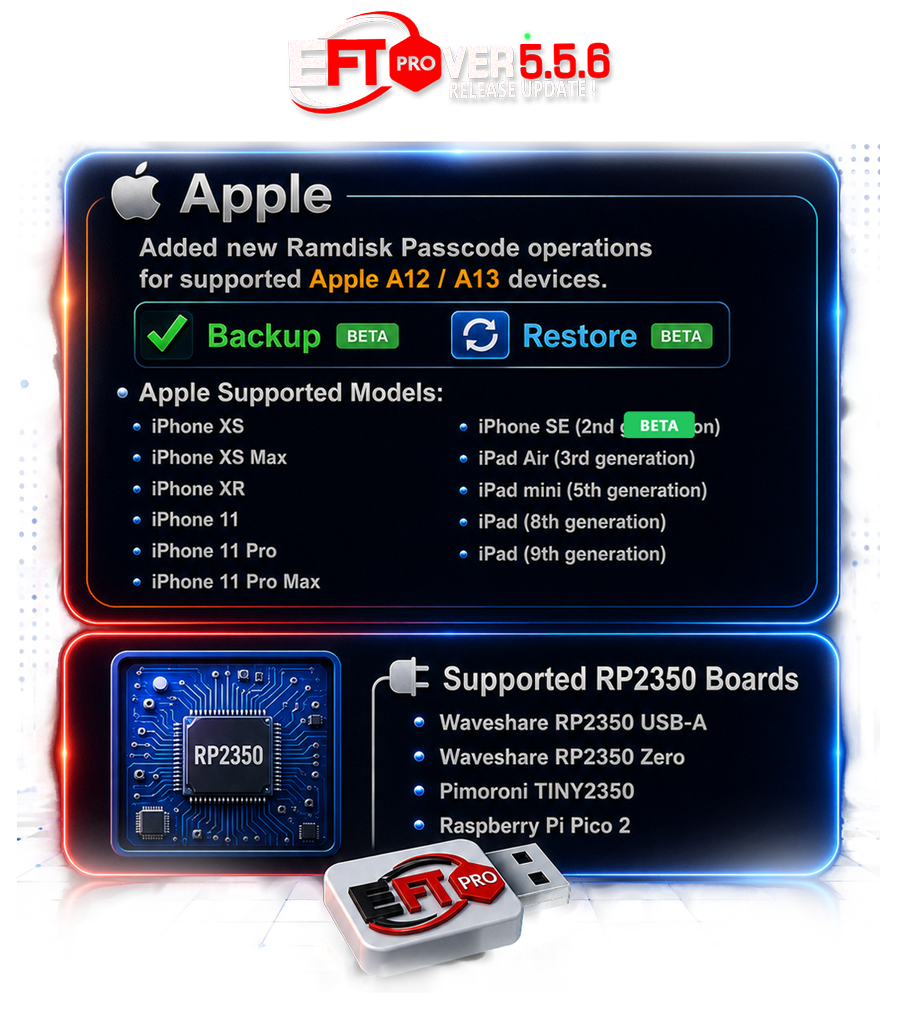
Added new Ramdisk Passcode operations for supported Apple A12 / A13 devices.

Backup BETA
Restore BETA


Apple Supported Models:


• iPhone XS
• iPhone XS Max
• iPhone XR
• iPhone 11
• iPhone 11 Pro
• iPhone 11 Pro Max
• iPhone SE (2nd generation)
• iPad Air (3rd generation)
• iPad mini (5th generation)
• iPad (8th generation)
• iPad (9th generation)


⚠ Requirements

• Compatible RP2350 Hardware Pwner running usbliter8 firmware.
• Device must first be placed into Pwned DFU Mode.
• Use Prepare usbliter8 Board to automatically detect and flash supported RP2350 boards.​

�� Supported RP2350 Boards


• Waveshare RP2350 USB-A
• Waveshare RP2350 Zero
• Pimoroni TINY2350
• Raspberry Pi Pico 2

Note: Any compatible RP2350-based board flashed with usbliter8 firmware is also supported.

�� Usage Flow

1. Connect the RP2350 Hardware Pwner to the PC.
2. Put the iPhone or iPad into DFU Mode.
3. Connect the device to the RP2350 USB-A port.
4. Reconnect the RP2350 board to start the pwn process.
5. Connect the device to PC with a normal cable (Device Pwned).
6. Open EFT Pro → Apple › Ramdisk › OneClick › Boot Passcode/Hello iOS 11.x – 26.x One Click → press Start.
7. Follow the EFT Pro log steps guide.
8. Select Backup to save the Ramdisk-mode data.
9. Erase Device.
10. Select Restore to restore a previously created backup.
Job Done. Enjoy!



More features and supported models coming soon — stay tuned!
Update your dongle now and enjoy the latest features instantly!

OTA Update – No Manual Download Required!
For New User Direct Download File


Get Now EFT Dongle From Nearest Distributors/Reseller Here
Kind Regards, Easy Firmware Team

GSMZone Platform | View Account
 

cutivip123

Member
Jan 30, 2021
5
0
Ca Mau
Update: The problem was fixed when changing PC.
tips: File backup it was obtained from unlocktool and recovered using EFT with some minor modifications.
[*] Checking device state...

[+] Device already in ramdisk (SSH) - skipping boot

[+] SSH already available - continuing session

[*] Mounting partitions (Method 1)...

[+] /mnt2 already mounted - skip

[+] Partitions Mounted Successfully!

[*] Restore Passcode...

Checking iDevices.....OK

Checking SSH......P:16..OK

Waiting for server.....OK

BuildID : DE3CC82A-4465-11F1-B5A5-B3558A6C0715

ProductBuildVersion : 22H355

ProductName : iPhone OS

ProductVersion : 18.7.9

Activation Files Restoring .......OK

Skip Setup...OK

Disable Reset Settings and Updates....OK

Operation {Boot Passcode/Hello IOS 11.x Up 26.x One Click} ID: 356CC5499A868157

Elapsed time 00:14 -- Version 5.5.6 Release 0826 Build 700
 

tuantu1

Active Member
Mar 24, 2017
19
3
fthreher
=== Log Operation ===
Time: 2026-08-04 11:50:42
Task: Log Started
======================

2026-08-04 11:50:42 - Added new log entry:
[*] Checking device state...
[*] No ramdisk SSH - checking DFU/Recovery...
Detected A12/A13 device (iPad11,4) - using Usbliter8 ramdisk boot
Preparing Environment : OK
[*] Cleaning previous USB session state...
[+] PRODUCT: iPad11,4 MODEL: j218ap ECID: 000511A43446002E
[+] Selected: Method 1 (iPad11,4-8020.zip)
[+] Payload loaded (ibss=0B kernel=20182488B ramdisk=228598714B)
[*] Booting patched iBEC (2238288 B) via usbliter8 CUSTOM_BOOT...
[*] Uploading patched iBEC (2238288 B) via libirecovery...
[*] CUSTOM_BOOT sent, waiting for device to transition...
[!] Please press and hold the POWER button for 2 seconds now.
[*] Waiting for device in recovery...
[+] iBEC booted, device in Recovery.
[*] Waiting 3s for iBEC/Recovery to settle...
[*] Setting black (bgcolor 0 0 0)...OK
Sending File (logo).....OK
[*] Setting picture...OK
[!] sptm missing - skipping
[!] txm missing - skipping
Sending File (AOP).....OK
Sending File (ANE).....OK
Sending File (AVE).....OK
Sending File (ISP).....OK
Sending File (GFX).....OK
Sending File (SIO).....OK
[!] PMP missing - skipping
[!] WHC missing - skipping
Sending File (DeviceTree).....OK
Sending File (sep-firmware).....OK
Sending File (trustcache).....OK
Sending File (ramdisk)..... 228598714 B
[*] Uploading 228598714 B via raw irecv (no progress cb)...
[+] Upload complete.
[+] ramdisk cmd OK - md0 registered
Sending File (kernel).....OK
[*] Setting boot-args...OK
[*] Verifying boot-args via irecv_getenv...
[+] iBoot boot-args = "rd=md0 -v debug=0x14e serial=3 wdt=-1 keepsyms=1"
[*] bootx...OK
[+] RAMDISK boot triggered.
[*] Waiting for device to leave Recovery mode...
[+] Device left Recovery after 1s
[?] If it took >15s to leave Recovery: device likely booted
NORMAL iOS via watchdog reset, not the RAMDISK.
Check screen: teal+verbose = ramdisk, Apple logo = iOS.
[*] Establishing SSH (port 22 alpine, 5 attempts)...
P:16..OK
[+] SSH connected on attempt 1 (port cfg 16)
[*] Mounting partitions (Method 1)...
[*] Mounting (host strategy_universal)...
[*] mount System -> /mnt1
[*] scan disk1s3..s7 (Preboot/xART/Hardware)...
[*] volumes: mnt6=Y mnt7=557641EB-9965-5557-B985-CB776E09C35C.gl mnt4=Y
[*] seputil gigalocker-init...
[*] seputil --load /mnt6/2701581BDF43AF5544C0EDBBA00EF3C0145BE8D1473B744D387F6422788F6ED89B2B16EC663FFB1A6574E13BA3BF0105/usr/standalone/firmware/sep-firmware.img4
[+] seputil --load finished
[*] mount Data -> /mnt2
[+] Data mounted
[+] mount done
[+] Partitions Mounted Successfully!
[*] Restore Passcode...
Checking iDevices.....OK
Preparing paths.....OK
Checking SSH......P:16..OK
Waiting for server.....OK
BuildID : BEF6EE16-7032-11F1-AB32-137BD9529FEC
ProductBuildVersion : 23F84
ProductName : iPhone OS
ProductVersion : 26.5.2
Activation Files Restoring .......OK
Skip Setup...OK
Disable Reset Settings and Updates....OK
Operation {Boot Passcode/Hello IOS 11.x Up 26.x One Click} ID: C084EA5100CCF5EE
Elapsed time 03:01 -- Version 5.5.6 Release 0826 Build 700
 

Pintu Gupta@

Friend's Martview
Jun 2, 2019
290
239
India /Jharkhand/koderma/Domchanch
PayPal:

Donate money to this user
=== Log Operation ===
Time: 2026-08-04 11:50:42
Task: Log Started
======================

2026-08-04 11:50:42 - Added new log entry:
[*] Checking device state...
[*] No ramdisk SSH - checking DFU/Recovery...
Detected A12/A13 device (iPad11,4) - using Usbliter8 ramdisk boot
Preparing Environment : OK
[*] Cleaning previous USB session state...
[+] PRODUCT: iPad11,4 MODEL: j218ap ECID: 000511A43446002E
[+] Selected: Method 1 (iPad11,4-8020.zip)
[+] Payload loaded (ibss=0B kernel=20182488B ramdisk=228598714B)
[*] Booting patched iBEC (2238288 B) via usbliter8 CUSTOM_BOOT...
[*] Uploading patched iBEC (2238288 B) via libirecovery...
[*] CUSTOM_BOOT sent, waiting for device to transition...
[!] Please press and hold the POWER button for 2 seconds now.
[*] Waiting for device in recovery...
[+] iBEC booted, device in Recovery.
[*] Waiting 3s for iBEC/Recovery to settle...
[*] Setting black (bgcolor 0 0 0)...OK
Sending File (logo).....OK
[*] Setting picture...OK
[!] sptm missing - skipping
[!] txm missing - skipping
Sending File (AOP).....OK
Sending File (ANE).....OK
Sending File (AVE).....OK
Sending File (ISP).....OK
Sending File (GFX).....OK
Sending File (SIO).....OK
[!] PMP missing - skipping
[!] WHC missing - skipping
Sending File (DeviceTree).....OK
Sending File (sep-firmware).....OK
Sending File (trustcache).....OK
Sending File (ramdisk)..... 228598714 B
[*] Uploading 228598714 B via raw irecv (no progress cb)...
[+] Upload complete.
[+] ramdisk cmd OK - md0 registered
Sending File (kernel).....OK
[*] Setting boot-args...OK
[*] Verifying boot-args via irecv_getenv...
[+] iBoot boot-args = "rd=md0 -v debug=0x14e serial=3 wdt=-1 keepsyms=1"
[*] bootx...OK
[+] RAMDISK boot triggered.
[*] Waiting for device to leave Recovery mode...
[+] Device left Recovery after 1s
[?] If it took >15s to leave Recovery: device likely booted
NORMAL iOS via watchdog reset, not the RAMDISK.
Check screen: teal+verbose = ramdisk, Apple logo = iOS.
[*] Establishing SSH (port 22 alpine, 5 attempts)...
P:16..OK
[+] SSH connected on attempt 1 (port cfg 16)
[*] Mounting partitions (Method 1)...
[*] Mounting (host strategy_universal)...
[*] mount System -> /mnt1
[*] scan disk1s3..s7 (Preboot/xART/Hardware)...
[*] volumes: mnt6=Y mnt7=557641EB-9965-5557-B985-CB776E09C35C.gl mnt4=Y
[*] seputil gigalocker-init...
[*] seputil --load /mnt6/2701581BDF43AF5544C0EDBBA00EF3C0145BE8D1473B744D387F6422788F6ED89B2B16EC663FFB1A6574E13BA3BF0105/usr/standalone/firmware/sep-firmware.img4
[+] seputil --load finished
[*] mount Data -> /mnt2
[+] Data mounted
[+] mount done
[+] Partitions Mounted Successfully!
[*] Restore Passcode...
Checking iDevices.....OK
Preparing paths.....OK
Checking SSH......P:16..OK
Waiting for server.....OK
BuildID : BEF6EE16-7032-11F1-AB32-137BD9529FEC
ProductBuildVersion : 23F84
ProductName : iPhone OS
ProductVersion : 26.5.2
Activation Files Restoring .......OK
Skip Setup...OK
Disable Reset Settings and Updates....OK
Operation {Boot Passcode/Hello IOS 11.x Up 26.x One Click} ID: C084EA5100CCF5EE
Elapsed time 03:01 -- Version 5.5.6 Release 0826 Build 700
good update
 
Top