


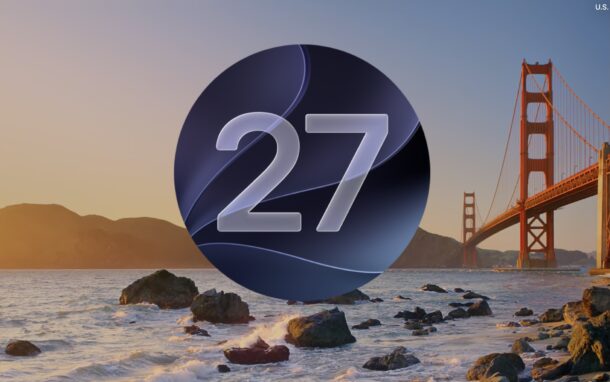
Apple has released MacOS 27 Golden Gate as a Release Candidate (RC) build #26A428 for all users enrolled in the beta testing programs for Apple system software. A Release Candidate build typically signals the end of the beta testing process, absent any significant last minute issues, and can sometimes match the final Golden Master (GM) build. Given that MacOS 27 Golden Gate has a September 14 release date, it is reasonably likely that is the case here.
MacOS 27 Golden Gate includes notable performance enhancements and improvements to the operating system, including increases in speed, stability, and functionality of core features like Spotlight search, Mail Search, and more. There are also visual refinements to the Liquid Glass interface including tweaks to various icons and user interface elements, and a slider to adjust the intensity of Liquid Glass. You will also find a dedicated Siri app, new Siri AI and Apple Intelligence features, and a variety of other new features and changes throughout the new Mac operating system. Full release notes are included below.
If you’re interested in jumping into MacOS 27 Golden Gate ahead of the broader public, you can install MacOS 27 Golden Gate beta, which is now the RC build, onto any compatible Mac.
Additionally, iOS 27 RC/GM, iPadOS 27 RC, WatchOS 27 RC, tvOS 27 RC, and visionOS 27 RC, are also available for beta testers as release candidate builds.
How to Install & Update to MacOS 27 Golden Gate Release Candidate / GM
Be sure to backup your Mac first before proceeding with any system update:
- From the Apple menu, select “System Settings”
- Go to “General” and then go to “Software Update”
- Choose to “Update Now” to install the MacOS 27 Golden Gate RC / GM build onto your Mac
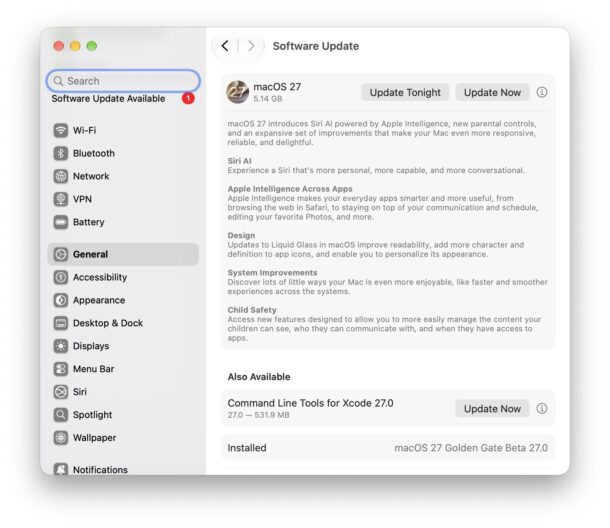
Only beta testers will see the RC/GM build available at the moment. All other Mac users will have the option to download and install MacOS 27 as a final version starting Monday, September 14.
You will have to restart the Mac to complete installation.