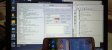
Connect Mobile in Fastboot Mode. Volume Down and Power Key. Then Open UMT GSM TOOL, Select Motorola TAB, and Click on NEW FRP. Mobile will restart 3 times, Then it will ask to Allow USB DEBUGGING a POP UP Message will Appear on mobile. just Allow it. FRP will be erase within Seconds.