



- Jul 28, 2018
- 2,589
- 2,632
- PayPal:
-

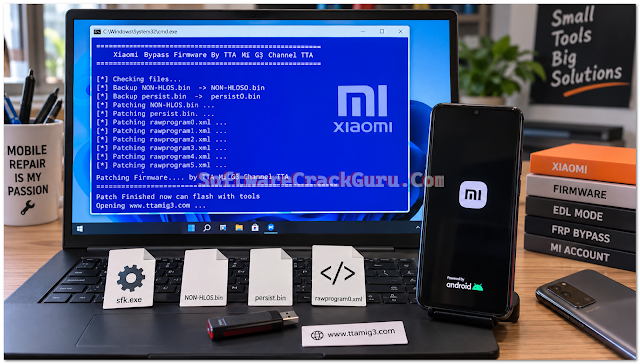
Mi ACC Bypass Firmware Channel TTA Edit is a Windows batch script made for Xiaomi Mi G3 channel firmware patching. It works by modifying firmware files like NON-HLOS.bin, persist.bin, and rawprogram XML files so that the persist partition becomes flashable through EDL tools. This tool uses sfk.exe (Swiss File Knife) to replace specific hex codes inside the firmware. It is created by the TTA Mi G3 Channel and is mainly used for account bypass and FRP related flashing work. I have not tested this on a live phone myself, so I am only sharing what I found inside the script.
Download Link: 1. 856 KB file on MEGA
2. Mi ACC Bypass Firmware Channel TTA Edit
Password: tta
Credits: Software Crack Gurú and channel TTA
Features
- Patches NON-HLOS.bin by replacing multiple bootloader hex patterns with TTAMIG3 B0
- Clears specific flags inside persist.bin to make it flashable
- Updates rawprogram0.xml to rawprogram5.xml so the persist partition gets a proper filename
- Automatically creates backup copies — NON-HLOSO.bin and persistO.bin — before patching
- Runs as a simple Windows batch script with a blue command prompt interface
- Shows clear on-screen messages like "Patching Firmware" and "Patch Finished"
- Opens the official TTA Mi G3 website at the end of the patching process
- Works only on Windows and requires sfk.exe in the same folder
What's New (Changelog)
- Improved hex pattern replacement for NON-HLOS.bin with nine different bootloader codes
- Added persist.bin patching to clear the fdsd flag
- Extended XML patching support from rawprogram0.xml up to rawprogram5.xml
- Automatic backup creation added before any file is modified
- Cleaner on-screen messages with proper timing between each step
- Completion message updated to "Patch Finished now can flash with tools"
How to Install
- Download the ZIP file from the link given below.
- Extract the downloaded archive using any file extractor.
- Make sure sfk.exe is present in the same folder as the batch file.
- Place NON-HLOS.bin, persist.bin, and rawprogram0.xml to rawprogram5.xml in that folder.
- Right click on Mi_ACC_Bypass_Firmware_Channel_TTA_EDIT.bat and Run as Administrator.
- Wait for the blue window to finish the patching process.
- Once it shows "Patch Finished now can flash with tools", the files are ready.
- Now you can flash the patched firmware using EDL tools.
Download Mi ACC Bypass Firmware Channel TTA Edit
Download the latest version using the button below. Always download from the official or trusted source to receive the newest files and updates.Download Link: 1. 856 KB file on MEGA
2. Mi ACC Bypass Firmware Channel TTA Edit
Password: tta
Credits: Software Crack Gurú and channel TTA