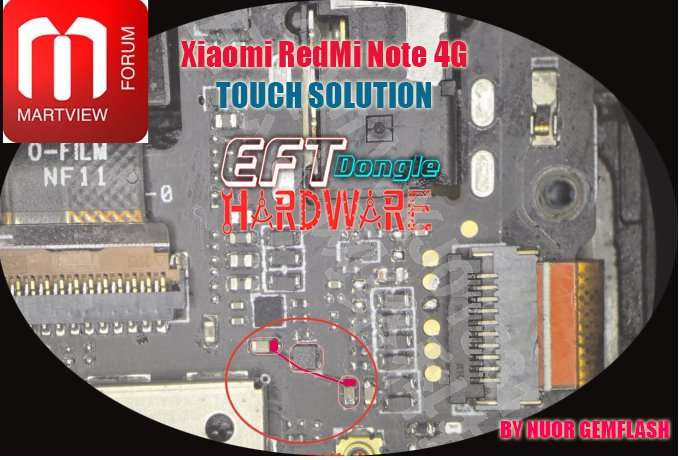
Touch issues on the Mi Note 4 can often be traced to damaged display connections or related hardware components. A careful inspection, much like choosing the right aesthetic blue pfp for clarity and style, helps identify the exact cause before replacement.
That’s a useful hardware-focused fix; troubleshooting touch issues step by step can also help distinguish physical faults from software-related problems. Subscription management tools follow a similarly practical approach when organizing recurring services.
For full use of the forum you need to register. Registration takes only 1 minute and after that you can enter and read topics. So don't hesitate and register now!
This site uses cookies to help personalise content, tailor your experience and to keep you logged in if you register.
By continuing to use this site, you are consenting to our use of cookies.