



UMT UMT Box / PRO Modules Updates Here
- Thread starter SPYROS
- Start date
You are using an out of date browser. It may not display this or other websites correctly.
You should upgrade or use an alternative browser.
You should upgrade or use an alternative browser.
UMT Box

Subtain
Member
uninstall usb post sharing software, usb redirector & radmin vpn...View attachment 76957 HOW TO PROBLEM SOLVED ?
rafiqueali008
Active Member
punicher1981
Junior Member
oppo a38 android 15
Brand/Model : *Auto* / *Auto Detect*
Operation : Reset FRP (2025)
LOCAL SLA : ON
BOOT CFG : [EXPLOIT:PL][OPPO V3]
Waiting for Device...Found
Port : MediaTek PreLoader USB VCOM_V1632 (Android) (COM131)
Device Path : \\?\usb#vid_22d9&pid_0006#6&32f3f382&0&5#{a5dcbf10-6530-11d2-901f-00c04fb951ed}
Driver : MediaTek Inc., 3.0.1504.0 [usb2ser.sys]
Mode : PRELOADER
Hw ID : MT6768 [0707] Helio P65/G85 k68v1
Details : 8A00,CA00,0000
Sec. Config : [SBA:ON] [SLA:OFF] [DAA:ON]
MEID : 9F397410726D3DE81F8BC7E4D0E21AF4
SoC ID[0] : 15DBDC904809A957969E58E06024B261
SoC ID[1] : B5E0A19DD575C57931FDCA1F6A9957DB
Sending 1st DA..Failed!
Try to select another Download Agent.
Operation Finished.
[UltimateMTK2 v2.5]
Log Saved : 20250731_154403.log
Brand/Model : *Auto* / *Auto Detect*
Operation : Reset FRP (2025)
LOCAL SLA : ON
BOOT CFG : [EXPLOIT:PL][OPPO V3]
Waiting for Device...Found
Port : MediaTek PreLoader USB VCOM_V1632 (Android) (COM131)
Device Path : \\?\usb#vid_22d9&pid_0006#6&32f3f382&0&5#{a5dcbf10-6530-11d2-901f-00c04fb951ed}
Driver : MediaTek Inc., 3.0.1504.0 [usb2ser.sys]
Mode : PRELOADER
Hw ID : MT6768 [0707] Helio P65/G85 k68v1
Details : 8A00,CA00,0000
Sec. Config : [SBA:ON] [SLA:OFF] [DAA:ON]
MEID : 9F397410726D3DE81F8BC7E4D0E21AF4
SoC ID[0] : 15DBDC904809A957969E58E06024B261
SoC ID[1] : B5E0A19DD575C57931FDCA1F6A9957DB
Sending 1st DA..Failed!
Try to select another Download Agent.
Operation Finished.
[UltimateMTK2 v2.5]
Log Saved : 20250731_154403.log


VIVO V6 LATEST PRELOADER?We are pleased to announce
UMTv2 / UMT Pro
Innovative and Intelligent
UltimateMTK2 v2.6
The Ultimate MediaTek Tool
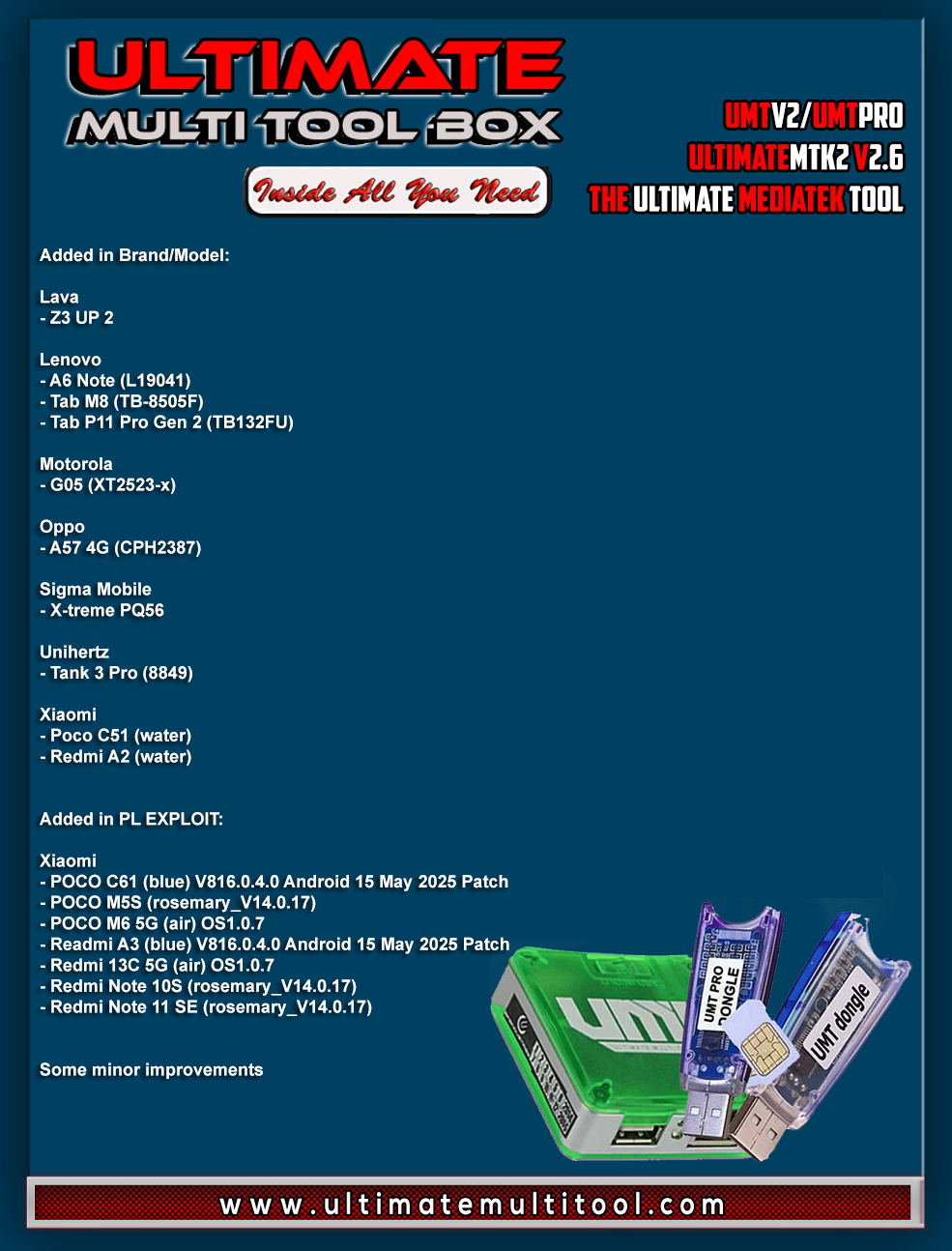
What's New:
Added in Brand/Model:
Lava
- Z3 UP 2
Lenovo
- A6 Note (L19041)
- Tab M8 (TB-8505F)
- Tab P11 Pro Gen 2 (TB132FU)
Motorola
- G05 (XT2523-x)
Oppo
- A57 4G (CPH2387)
Sigma Mobile
- X-treme PQ56
Unihertz
- Tank 3 Pro (8849)
Xiaomi
- Poco C51 (water)
- Redmi A2 (water)
Added in PL EXPLOIT:
Xiaomi
- POCO C61 (blue) V816.0.4.0 Android 15 May 2025 Patch
- POCO M5S (rosemary_V14.0.17)
- POCO M6 5G (air) OS1.0.7
- Readmi A3 (blue) V816.0.4.0 Android 15 May 2025 Patch
- Redmi 13C 5G (air) OS1.0.7
- Redmi Note 10S (rosemary_V14.0.17)
- Redmi Note 11 SE (rosemary_V14.0.17)
Some minor improvements
Special thanks to all our users who helped us with their test reports.
Important Notes:
- You can flash device with both BROM and Preloader mode
- If default DA does not work, use own DA in custom DA
- Force BROM may not work on new security, use Test Point instead
- When using Test Point, you must select Preloader in PL (not needed when flashing)
- If you need to connect device in Preloader mode, you must select PRELOADER in connection settings, otherwise software will try to Crash Preloader (may not work on new security devices)
Note : Some features are device/OS specific and may not work on all devices.
Please use UMT Card Manager to Update Card Counter / Firmware / Activate Add-on, available via Support Access.
It Has Begun...
Keep Following Us...
Some Nice Updates Are On The Way...
SPECIAL THANKS TO OUR VALUABLE USERS FOR THEIR LOVE AND SUPPORT FOR MORE THAN 9 YEARS
WARNING :
ESN / MEID / IMEI REPAIR IS INTENDED TO REPAIR ESN / MEID / IMEI TO ORIGINAL ONE WRITTEN ON PHONE BACK LABEL / BOX. WE DO NOT ENDORSE OR ENCOURAGE ESN / MEID / IMEI CHANGING. ITS ILLEGAL. USER IS SOLE RESPONSIBLE FOR ANY ILLEGAL ACTIVITY DONE WITH USE OF FEATURES PROVIDED IN OUR SOFTWARE, NOT LIMITED TO ESN / MEID / IMEI.
ANY USER USING OUR SOFTWARE FOR ILLEGAL PURPOSE WILL BE SOLE RESPONSIBLE FOR HIS ACTS.
WE CONDEMN USE OF OUR SOFTWARE FOR ANY ILLEGAL PURPOSE.
How to Download:
- Download UMT Support Access.
- Connect UMT Box/Dongle to PC and Run UMT Support Access.
- Download required Executable from Installer folder.
- Enjoy!
- Download Mirrors
PLEASE DO NOT POST OFF TOPIC HERE. ONLY POST REGARDING THIS UPDATE AND SUPPORTED MODELS. ANY OFF TOPIC POST WILL BE DELETED
Telegram
Br,
UMT
Ragunathan
Member
Redmi 13C 5G Air FRPWe are pleased to announce
UMTv2 / UMT Pro
Innovative and Intelligent
UltimateMTK2 v2.6
The Ultimate MediaTek Tool
What's New:
Added in Brand/Model:
Lava
- Z3 UP 2
Lenovo
- A6 Note (L19041)
- Tab M8 (TB-8505F)
- Tab P11 Pro Gen 2 (TB132FU)
Motorola
- G05 (XT2523-x)
Oppo
- A57 4G (CPH2387)
Sigma Mobile
- X-treme PQ56
Unihertz
- Tank 3 Pro (8849)
Xiaomi
- Poco C51 (water)
- Redmi A2 (water)
Added in PL EXPLOIT:
Xiaomi
- POCO C61 (blue) V816.0.4.0 Android 15 May 2025 Patch
- POCO M5S (rosemary_V14.0.17)
- POCO M6 5G (air) OS1.0.7
- Readmi A3 (blue) V816.0.4.0 Android 15 May 2025 Patch
- Redmi 13C 5G (air) OS1.0.7
- Redmi Note 10S (rosemary_V14.0.17)
- Redmi Note 11 SE (rosemary_V14.0.17)
Some minor improvements
Special thanks to all our users who helped us with their test reports.
Important Notes:
- You can flash device with both BROM and Preloader mode
- If default DA does not work, use own DA in custom DA
- Force BROM may not work on new security, use Test Point instead
- When using Test Point, you must select Preloader in PL (not needed when flashing)
- If you need to connect device in Preloader mode, you must select PRELOADER in connection settings, otherwise software will try to Crash Preloader (may not work on new security devices)
Note : Some features are device/OS specific and may not work on all devices.
Please use UMT Card Manager to Update Card Counter / Firmware / Activate Add-on, available via Support Access.
It Has Begun...
Keep Following Us...
Some Nice Updates Are On The Way...
SPECIAL THANKS TO OUR VALUABLE USERS FOR THEIR LOVE AND SUPPORT FOR MORE THAN 9 YEARS
WARNING :
ESN / MEID / IMEI REPAIR IS INTENDED TO REPAIR ESN / MEID / IMEI TO ORIGINAL ONE WRITTEN ON PHONE BACK LABEL / BOX. WE DO NOT ENDORSE OR ENCOURAGE ESN / MEID / IMEI CHANGING. ITS ILLEGAL. USER IS SOLE RESPONSIBLE FOR ANY ILLEGAL ACTIVITY DONE WITH USE OF FEATURES PROVIDED IN OUR SOFTWARE, NOT LIMITED TO ESN / MEID / IMEI.
ANY USER USING OUR SOFTWARE FOR ILLEGAL PURPOSE WILL BE SOLE RESPONSIBLE FOR HIS ACTS.
WE CONDEMN USE OF OUR SOFTWARE FOR ANY ILLEGAL PURPOSE.
How to Download:
- Download UMT Support Access.
- Connect UMT Box/Dongle to PC and Run UMT Support Access.
- Download required Executable from Installer folder.
- Enjoy!
- Download Mirrors
PLEASE DO NOT POST OFF TOPIC HERE. ONLY POST REGARDING THIS UPDATE AND SUPPORTED MODELS. ANY OFF TOPIC POST WILL BE DELETED
Telegram
Br,
UMT
Preloader not connecting
Brand/Model : Xiaomi / Redmi 13C 5G (air)
Operation : Reset FRP (2025)
LOCAL SLA : ON
BOOT CFG : [EXPLOIT:PL]
Waiting for Device...Found
Port : MediaTek USB Port (COM5)
Device Path : \\?\usb#vid_0e8d&pid_0003#5&22b2b692&0&2#{f9f3ff14-ae21-48a0-8a25-8011a7a931d9}
Driver : MediaTek Inc., 3.0.1512.0 [usb2ser.sys]
Mode : BROM
BROM Mode Detected! Please connect in PRELOADER Mode!
Operation Finished.
[UltimateMTK2 v2.6]
Log Saved : 20250806_104305.log

Mdrahat
Junior Member
Fake update brother android 15 not workingoppo a38 android 15
Brand/Model : *Auto* / *Auto Detect*
Operation : Reset FRP (2025)
LOCAL SLA : ON
BOOT CFG : [EXPLOIT:PL][OPPO V3]
Waiting for Device...Found
Port : MediaTek PreLoader USB VCOM_V1632 (Android) (COM131)
Device Path : \\?\usb#vid_22d9&pid_0006#6&32f3f382&0&5#{a5dcbf10-6530-11d2-901f-00c04fb951ed}
Driver : MediaTek Inc., 3.0.1504.0 [usb2ser.sys]
Mode : PRELOADER
Hw ID : MT6768 [0707] Helio P65/G85 k68v1
Details : 8A00,CA00,0000
Sec. Config : [SBA:ON] [SLA:OFF] [DAA:ON]
MEID : 9F397410726D3DE81F8BC7E4D0E21AF4
SoC ID[0] : 15DBDC904809A957969E58E06024B261
SoC ID[1] : B5E0A19DD575C57931FDCA1F6A9957DB
Sending 1st DA..Failed!
Try to select another Download Agent.
Operation Finished.
[UltimateMTK2 v2.5]
Log Saved : 20250731_154403.log
Need F711b Bit (E)We are pleased to announce
UMTv2 / UMT Pro
Innovative and Intelligent
QcFire v12.2
The Ultimate Qualcomm Tool
Supported Functions
- Read / Write Firmware
- Backup / Restore QCN
- IMEI Repair in FTM/Diag + Flash Mode
- Backup / Reset / Restore Security (EFS)
- Reset FRP (Google Factory Reset Protection)
- Format UserData
- Read Pattern Lock (Android < 6.0, Un-Encrypted Devices Only)
- Reset Locks (PIN, Password, Pattern w/o Data Loss, Un-Encrypted Devices Only)
- Enable Diag (Need OEM Unlock, May not work on BL Locked Devices)
- Reboot to EDL from Fastboot
- Reset Mi Account for Xiaomi Devices
- Disable Mi Account for Xiaomi Devices
- Factory Reset (sideload Mode) for Xiaomi Devices
- Disable / Restore Locks for Encrypted Userdata
- Motorola Boot Repair
- Xiaomi EDL Locked Device Service
- Bootloader Unlock in EDL Mode for some Xiaomi Devices
- One Click Root in EDL Mode for Generic Qualcomm Devices
- Forensic Functions (Read Contacts / Messages in EDL Mode)
- One Click Lock Reset for Vivo Phones (Encrypted Userdata)
- Factory Method for Format FS
- EDL Authentication using Xiaomi Auth App (Service Account Required)
- Xiaomi Wipe EFS in Sideload Mode
- Xiaomi IMEI Repair for RSA Protected Phones
- Xiaomi Boot Loader Unlock
- Unique Method for Vivo Reset Locks for Protected Devices
- Xiaomi EDL Auth Using UMT Server
- Xiaomi Flashing in Fastboot Mode
- Nokia Factory Firmware (nb0) Direct Flashing in EDL mode
- Oppo OFP Firmware Exctration Added
- Xiaomi Free Auth Service (bypass).
- Mi Account Reset without Relock
- Mi Account Patch on Flashing (EDL/Fastboot)
- Samsung MDM Unlock in EDL Mode
- Huawei ID Reset
- Vivo Functions in Fastboot Mode
- Universal Huawei ID Reset
- Xiaomi Sideload Reset FRP/Mi Account
- Xiaomi Sideload Firmware Update
- Xiaomi Temporary BL Unlock
- Xiaomi Enable Diag (NO ROOT)
- Samsung Lost Mode Reset in EDL Mode
- Samsung KG Bypass
- Samsung Unbrick / Dead Boot Repair
- Samsung TAR to Unbrick Firmware Creator
- Xiaomi Auth Bypass For Newer Devices
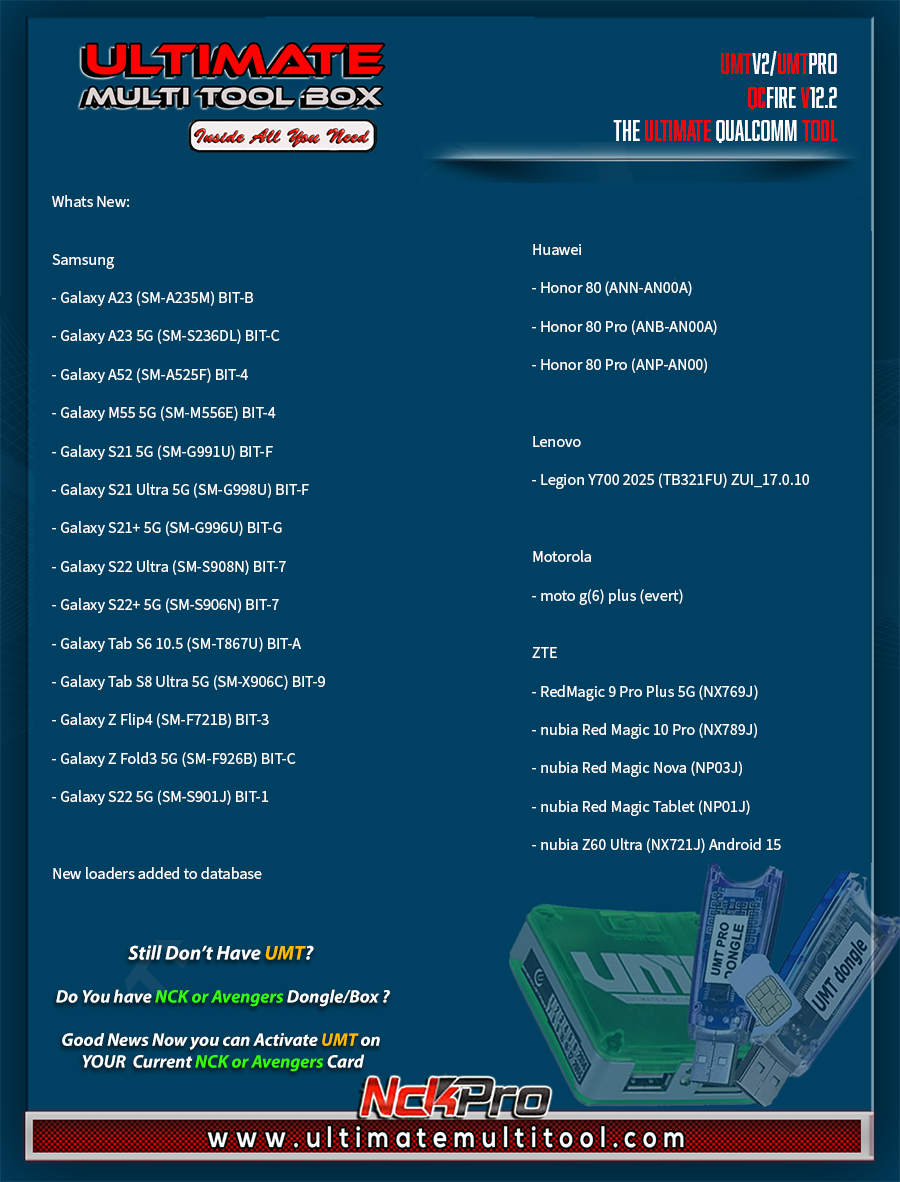
What's New:
Huawei
- Honor 80 (ANN-AN00A)
- Honor 80 Pro (ANB-AN00A)
- Honor 80 Pro (ANP-AN00)
Lenovo
- Legion Y700 2025 (TB321FU) ZUI_17.0.10
Motorola
- moto g(6) plus (evert)
Samsung
- Galaxy A23 (SM-A235M) BIT-B
- Galaxy A23 5G (SM-S236DL) BIT-C
- Galaxy A52 (SM-A525F) BIT-4
- Galaxy M55 5G (SM-M556E) BIT-4
- Galaxy S21 5G (SM-G991U) BIT-F
- Galaxy S21 Ultra 5G (SM-G998U) BIT-F
- Galaxy S21+ 5G (SM-G996U) BIT-G
- Galaxy S22 Ultra (SM-S908N) BIT-7
- Galaxy S22+ 5G (SM-S906N) BIT-7
- Galaxy Tab S6 10.5 (SM-T867U) BIT-A
- Galaxy Tab S8 Ultra 5G (SM-X906C) BIT-9
- Galaxy Z Flip4 (SM-F721B) BIT-3
- Galaxy Z Fold3 5G (SM-F926B) BIT-C
- Galaxy S22 5G (SM-S901J) BIT-1
ZTE
- RedMagic 9 Pro Plus 5G (NX769J)
- nubia Red Magic 10 Pro (NX789J)
- nubia Red Magic Nova (NP03J)
- nubia Red Magic Tablet (NP01J)
- nubia Z60 Ultra (NX721J) Android 15
New loaders added to database
CONNECTION METHOD FOR SAMSUNG:
Method to connect some Samsung Devices is already in Log.
For newer devices, do the following:
- Hold VOL UP + DOWN on Device.
- Hold Button on EDL Cable.
- Insert Cable to Device while holding EDL Cable Button.
- Now rapidly click both VOL UP + DOWN at the same time.
- Once you have clicked VOL UP + DOWN more than 3 times, leave EDL Cable Button but keep rapidly clicking VOL UP + DOWN.
- Stop clicking VOLUME Buttons once device is connected in EDL Mode.
Special thanks to all our users who helped us with their test reports.
Please use UMT Card Manager to Update Card Counter / Firmware / Activate Add-on, available via Support Access.
Fix Forbidden Application Detected Error
It Has Begun...
Keep Following Us...
Some Nice Updates Are On The Way...
SPECIAL THANKS TO OUR VALUABLE USERS FOR THEIR LOVE AND SUPPORT FOR MORE THAN 9 YEARS
WARNING :
ESN / MEID / IMEI REPAIR IS INTENDED TO REPAIR ESN / MEID / IMEI TO ORIGINAL ONE WRITTEN ON PHONE BACK LABEL / BOX. WE DO NOT ENDORSE OR ENCOURAGE ESN / MEID / IMEI CHANGING. ITS ILLEGAL. USER IS SOLE RESPONSIBLE FOR ANY ILLEGAL ACTIVITY DONE WITH USE OF FEATURES PROVIDED IN OUR SOFTWARE, NOT LIMITED TO ESN / MEID / IMEI.
ANY USER USING OUR SOFTWARE FOR ILLEGAL PURPOSE WILL BE SOLE RESPONSIBLE FOR HIS ACTS.
WE CONDEMN USE OF OUR SOFTWARE FOR ANY ILLEGAL PURPOSE.
STATUTORY WARNING - READ CAREFULLY
Using International Edition of our software is prohibited by Indian Law.
We strictly advice you to use Indian Edition if you are in India.
If you use International Edition in India, it may cause legal action against you by local law enforcement agencies.
We will not be liable for any loss or damaged caused.
How to Download:
- Download UMT Support Access.
- Connect UMT Box/Dongle to PC and Run UMT Support Access.
- Download required Executable from Installer folder.
- Enjoy!
- Download Mirrors
PLEASE DO NOT POST OFF TOPIC HERE. ONLY POST REGARDING THIS UPDATE AND SUPPORTED MODELS. ANY OFF TOPIC POST WILL BE DELETED
Telegram
Br,
UMT
CAMMON 40 PRO FRP REMOVE ERROR
Brand/Model : *Auto* / *Auto Detect*
Operation : Reset FRP (2025)
LOCAL SLA : ON
BOOT CFG : [EXPLOIT:PL][INFINIX V5]
Waiting for Device...Found
Port : MediaTek PreLoader USB VCOM (Android) (COM12)
Device Path : \\?\usb#vid_0e8d&pid_2000#5&17bde8d1&0&1#{86e0d1e0-8089-11d0-9ce4-08003e301f73}
Driver : MediaTek Inc., 3.0.1511.0 [usb2ser.sys]
Mode : PRELOADER
Hw ID : MT6789 [1208] MTK Helio G99
Details : 8A00,CA00,0000
Sec. Config : [SBA:ON] [SLA:OFF] [DAA:ON]
MEID : AD5E2C5A25C053A181B87FDE76FED2A4
SoC ID[0] : 2D0EA30A6A64C9241243CC5247145C5B
SoC ID[1] : 3E071BF39A766C9F3956E2B972C62FA4
Sending 1st DA..OK
Jump DA Address...OK
Syncing...ENV_PARAM_ACK Read Error!Failed!
Operation Finished.
[UltimateMTK2 v2.6]
Brand/Model : *Auto* / *Auto Detect*
Operation : Reset FRP (2025)
LOCAL SLA : ON
BOOT CFG : [EXPLOIT:PL][INFINIX V5]
Waiting for Device...Found
Port : MediaTek PreLoader USB VCOM (Android) (COM12)
Device Path : \\?\usb#vid_0e8d&pid_2000#5&17bde8d1&0&1#{86e0d1e0-8089-11d0-9ce4-08003e301f73}
Driver : MediaTek Inc., 3.0.1511.0 [usb2ser.sys]
Mode : PRELOADER
Hw ID : MT6789 [1208] MTK Helio G99
Details : 8A00,CA00,0000
Sec. Config : [SBA:ON] [SLA:OFF] [DAA:ON]
MEID : AD5E2C5A25C053A181B87FDE76FED2A4
SoC ID[0] : 2D0EA30A6A64C9241243CC5247145C5B
SoC ID[1] : 3E071BF39A766C9F3956E2B972C62FA4
Sending 1st DA..OK
Jump DA Address...OK
Syncing...ENV_PARAM_ACK Read Error!Failed!
Operation Finished.
[UltimateMTK2 v2.6]

Taha Iqbal
Member
- Sep 11, 2019
- 14
- 3
Brand/Model : *Auto* / *Auto Detect*
Operation : Safe Format+FRP
LOCAL SLA : ON
BOOT CFG : [EXPLOIT:PL][INFINIX V3]
Waiting for Device...Found
Port : MediaTek PreLoader USB VCOM (Android) (COM7)
Device Path : \\?\usb#vid_0e8d&pid_2000#5&272d57e8&0&1#{a5dcbf10-6530-11d2-901f-00c04fb951ed}
Driver : MediaTek Inc., 3.0.1512.0 [usb2ser.sys]
Mode : PRELOADER
Hw ID : MT6765 [0766] Helio P35/G35
Details : 8A00,CA00,0000
Sec. Config : [SBA:ON] [SLA:OFF] [DAA:ON]
MEID : 4B1F6AE2B694107F00BB18F132B0FF6D
SoC ID[0] : 46574408EDB85DC8D190079E1F8479B9
SoC ID[1] : BB82490CB61F0BACE1CE0188CF49CE89
Sending 1st DA..OK
Jump DA Address...OK
Syncing...[C0020053] DA version Anti-Rollback error Failed!
Operation Finished.
[UltimateMTK2 v2.6]
Log Saved : 20250821_165734.log
Operation : Safe Format+FRP
LOCAL SLA : ON
BOOT CFG : [EXPLOIT:PL][INFINIX V3]
Waiting for Device...Found
Port : MediaTek PreLoader USB VCOM (Android) (COM7)
Device Path : \\?\usb#vid_0e8d&pid_2000#5&272d57e8&0&1#{a5dcbf10-6530-11d2-901f-00c04fb951ed}
Driver : MediaTek Inc., 3.0.1512.0 [usb2ser.sys]
Mode : PRELOADER
Hw ID : MT6765 [0766] Helio P35/G35
Details : 8A00,CA00,0000
Sec. Config : [SBA:ON] [SLA:OFF] [DAA:ON]
MEID : 4B1F6AE2B694107F00BB18F132B0FF6D
SoC ID[0] : 46574408EDB85DC8D190079E1F8479B9
SoC ID[1] : BB82490CB61F0BACE1CE0188CF49CE89
Sending 1st DA..OK
Jump DA Address...OK
Syncing...[C0020053] DA version Anti-Rollback error Failed!
Operation Finished.
[UltimateMTK2 v2.6]
Log Saved : 20250821_165734.log
punicher1981
Junior Member
OPPO A38 ANDROID 15 FRP SECURITY JULY 2025 DONE
Brand/Model : *Auto* / *Auto Detect*
Operation : Reset FRP (2025)
LOCAL SLA : ON
BOOT CFG : [EXPLOIT:BROM]
Waiting for Device...Found
Port : MediaTek USB Port (COM7)
Device Path : \\?\usb#vid_0e8d&pid_0003#6&32f3f382&0&5#{f9f3ff14-ae21-48a0-8a25-8011a7a931d9}
Driver : MediaTek Inc., 3.0.1504.0 [usb2ser.sys]
Mode : BROM
Hw ID : MT6768 [0707] Helio P65/G85 k68v1
Details : 8A00,CA00,0000
Sec. Config : [SBA:True] [SLA:False] [DAA:True]
MEID : 9F397410726D3DE81F8BC7E4D0E21AF4
SoC ID[0] : 15DBDC904809A957969E58E06024B261
SoC ID[1] : B5E0A19DD575C57931FDCA1F6A9957DB
Running Exploit...Done
Downloading Preloader...Failed!
Sec. Config : [SBA:OFF] [SLA:OFF] [DAA:OFF]
[INTERNAL] DA Selected!
DA Security Patched
Sending 1st DA...OK
Jump DA Address...OK
Syncing...OK
Checksum Level is Storage
Connection : brom
Speed : HIGH-SPEED
Reading RAM Configuration...OK
Reading EMI Configuration...OK
CID : 13014E47324D323132203024F79DBA49 [EMMC]
Initializing Storage...OK
Sending 2nd DA...OK
Initialize DA Extension...OK
HRID : 06B29AF2C5E4322A7A9FC92B46D77726
RID : 06B29AF2C5E4322A7A9FC92B46D77726
Int. RAM : 0x0000000000070000 [448,00 KB]
Ext. RAM : 0x0000000100000000 [4,00 GB]
Flash ID : G2M212
CID : 13014E47324D323132203024F79DBA49
BOOT1 : 0x0000000000400000 [4,00 MB]
BOOT2 : 0x0000000000400000 [4,00 MB]
RPMB : 0x0000000001000000 [16,00 MB]
USERAREA : 0x0000001D1F000000 [116,48 GB]
PRE EOL : NORMAL
Life. Est.A : 0%-10% LIFE TIME USED
Life. Est.B : 0%-10% LIFE TIME USED
Reading Partition Table...OK
boot.os_ver : 15
boot.sec_patch : 2025-05-01
init_boot.fprint : alps/vnd_k69v1_64/k69v1_64:15/AP3A.240617.008/1744881639330
init_boot.os_ver : 15
init_boot.sec_patch : 2025-05-01
odm_dlkm.fprint : alps/vnd_k69v1_64/k69v1_64:15/AP3A.240617.008/1744881639330
odm_dlkm.os_ver : 15
oplus_custom_images.os_ver : 11
oplus_custom_images.sec_patch : 2020-10-05
prd.fprint : alps/sys_mssi_64_cn_armv82/mssi_64_cn_armv82:15/AP3A.240617.008/1744881483700
prd.os_ver : 15
prd.sec_patch : 2025-05-01
sys.fprint : alps/sys_mssi_64_cn_armv82/mssi_64_cn_armv82:15/AP3A.240617.008/1744881483700
sys.os_ver : 15
sys.sec_patch : 2025-05-01
sys_dlkm.fprint : alps/vnd_k69v1_64/k69v1_64:15/AP3A.240617.008/1744881639330
sys_dlkm.os_ver : 15
sys_ext.fprint : alps/sys_mssi_64_cn_armv82/mssi_64_cn_armv82:15/AP3A.240617.008/1744881483700
sys_ext.os_ver : 15
sys_ext.sec_patch : 2025-05-01
vendor_boot.fprint : alps/vnd_k69v1_64/k69v1_64:15/AP3A.240617.008/1744881639330
vendor_dlkm.fprint : alps/vnd_k69v1_64/k69v1_64:15/AP3A.240617.008/1744881639330
vendor_dlkm.os_ver : 15
Bootloader : LOCKED
Running FRP Reset (2025)......Done
IMPORTANT : If phone reboots to recovery, simply Format from there.
Operation Finished.
[UltimateMTK2 v2.6]
Log Saved : 20250825_154220.log
Brand/Model : *Auto* / *Auto Detect*
Operation : Reset FRP (2025)
LOCAL SLA : ON
BOOT CFG : [EXPLOIT:BROM]
Waiting for Device...Found
Port : MediaTek USB Port (COM7)
Device Path : \\?\usb#vid_0e8d&pid_0003#6&32f3f382&0&5#{f9f3ff14-ae21-48a0-8a25-8011a7a931d9}
Driver : MediaTek Inc., 3.0.1504.0 [usb2ser.sys]
Mode : BROM
Hw ID : MT6768 [0707] Helio P65/G85 k68v1
Details : 8A00,CA00,0000
Sec. Config : [SBA:True] [SLA:False] [DAA:True]
MEID : 9F397410726D3DE81F8BC7E4D0E21AF4
SoC ID[0] : 15DBDC904809A957969E58E06024B261
SoC ID[1] : B5E0A19DD575C57931FDCA1F6A9957DB
Running Exploit...Done
Downloading Preloader...Failed!
Sec. Config : [SBA:OFF] [SLA:OFF] [DAA:OFF]
[INTERNAL] DA Selected!
DA Security Patched
Sending 1st DA...OK
Jump DA Address...OK
Syncing...OK
Checksum Level is Storage
Connection : brom
Speed : HIGH-SPEED
Reading RAM Configuration...OK
Reading EMI Configuration...OK
CID : 13014E47324D323132203024F79DBA49 [EMMC]
Initializing Storage...OK
Sending 2nd DA...OK
Initialize DA Extension...OK
HRID : 06B29AF2C5E4322A7A9FC92B46D77726
RID : 06B29AF2C5E4322A7A9FC92B46D77726
Int. RAM : 0x0000000000070000 [448,00 KB]
Ext. RAM : 0x0000000100000000 [4,00 GB]
Flash ID : G2M212
CID : 13014E47324D323132203024F79DBA49
BOOT1 : 0x0000000000400000 [4,00 MB]
BOOT2 : 0x0000000000400000 [4,00 MB]
RPMB : 0x0000000001000000 [16,00 MB]
USERAREA : 0x0000001D1F000000 [116,48 GB]
PRE EOL : NORMAL
Life. Est.A : 0%-10% LIFE TIME USED
Life. Est.B : 0%-10% LIFE TIME USED
Reading Partition Table...OK
boot.os_ver : 15
boot.sec_patch : 2025-05-01
init_boot.fprint : alps/vnd_k69v1_64/k69v1_64:15/AP3A.240617.008/1744881639330
init_boot.os_ver : 15
init_boot.sec_patch : 2025-05-01
odm_dlkm.fprint : alps/vnd_k69v1_64/k69v1_64:15/AP3A.240617.008/1744881639330
odm_dlkm.os_ver : 15
oplus_custom_images.os_ver : 11
oplus_custom_images.sec_patch : 2020-10-05
prd.fprint : alps/sys_mssi_64_cn_armv82/mssi_64_cn_armv82:15/AP3A.240617.008/1744881483700
prd.os_ver : 15
prd.sec_patch : 2025-05-01
sys.fprint : alps/sys_mssi_64_cn_armv82/mssi_64_cn_armv82:15/AP3A.240617.008/1744881483700
sys.os_ver : 15
sys.sec_patch : 2025-05-01
sys_dlkm.fprint : alps/vnd_k69v1_64/k69v1_64:15/AP3A.240617.008/1744881639330
sys_dlkm.os_ver : 15
sys_ext.fprint : alps/sys_mssi_64_cn_armv82/mssi_64_cn_armv82:15/AP3A.240617.008/1744881483700
sys_ext.os_ver : 15
sys_ext.sec_patch : 2025-05-01
vendor_boot.fprint : alps/vnd_k69v1_64/k69v1_64:15/AP3A.240617.008/1744881639330
vendor_dlkm.fprint : alps/vnd_k69v1_64/k69v1_64:15/AP3A.240617.008/1744881639330
vendor_dlkm.os_ver : 15
Bootloader : LOCKED
Running FRP Reset (2025)......Done
IMPORTANT : If phone reboots to recovery, simply Format from there.
Operation Finished.
[UltimateMTK2 v2.6]
Log Saved : 20250825_154220.log

We are pleased to announce
UMTv2 / UMT Pro
Innovative and Intelligent
UltimateMTK2 v2.7
The Ultimate MediaTek Tool
What's New:
Samsung ADB Enable by QR Code
- Enable ADB on almost any device
Samsung Knox Guard Bypass (ADB)
- Shall work on all device up to Android 15
Added Remove IT Admin (ADB)
- Shall work on Infiix/Tecno/Samsung etc
- Possibly work on all patch level
- Safe method to use without risk
Added in PL EXPLOIT
- Oppo MT6768 Adnroid 15 (Oppo V4)
Added in Brand/Model
- F29 Pro 5G (CPH2705)
- Poco M6 Pro (emerald)
- Redmi 14C (lake)
Added Local SLA V2
- It is specially for Xiaomi HyperOS devices
- For other device or Xiaomi < HyperOS, use V1
Fixed Write RPMB Function
- It was broken from last update
Improved Read RPMB Function
- Removed annoying File Save dialog every time
- Now it will appear only after successful read
- In case of incomplete read, you can find it in UltiamteMTK2\RPMB.tmp
Improved Mi Relock Fix
Special thanks to all our users who helped us with their test reports.
Important Notes:
- You can flash device with both BROM and Preloader mode
- If default DA does not work, use own DA in custom DA
- Force BROM may not work on new security, use Test Point instead
- When using Test Point, you must select Preloader in PL (not needed when flashing)
- If you need to connect device in Preloader mode, you must select PRELOADER in connection settings, otherwise software will try to Crash Preloader (may not work on new security devices)
Note : Some features are device/OS specific and may not work on all devices.
Please use UMT Card Manager to Update Card Counter / Firmware / Activate Add-on, available via Support Access.
It Has Begun...
Keep Following Us...
Some Nice Updates Are On The Way...
SPECIAL THANKS TO OUR VALUABLE USERS FOR THEIR LOVE AND SUPPORT FOR MORE THAN 9 YEARS
WARNING :
ESN / MEID / IMEI REPAIR IS INTENDED TO REPAIR ESN / MEID / IMEI TO ORIGINAL ONE WRITTEN ON PHONE BACK LABEL / BOX. WE DO NOT ENDORSE OR ENCOURAGE ESN / MEID / IMEI CHANGING. ITS ILLEGAL. USER IS SOLE RESPONSIBLE FOR ANY ILLEGAL ACTIVITY DONE WITH USE OF FEATURES PROVIDED IN OUR SOFTWARE, NOT LIMITED TO ESN / MEID / IMEI.
ANY USER USING OUR SOFTWARE FOR ILLEGAL PURPOSE WILL BE SOLE RESPONSIBLE FOR HIS ACTS.
WE CONDEMN USE OF OUR SOFTWARE FOR ANY ILLEGAL PURPOSE.
How to Download:
- Download UMT Support Access.
- Connect UMT Box/Dongle to PC and Run UMT Support Access.
- Download required Executable from Installer folder.
- Enjoy!
- Download Mirrors
PLEASE DO NOT POST OFF TOPIC HERE. ONLY POST REGARDING THIS UPDATE AND SUPPORTED MODELS. ANY OFF TOPIC POST WILL BE DELETED
Telegram
Br,
UMT
UMTv2 / UMT Pro
Innovative and Intelligent
UltimateMTK2 v2.7
The Ultimate MediaTek Tool
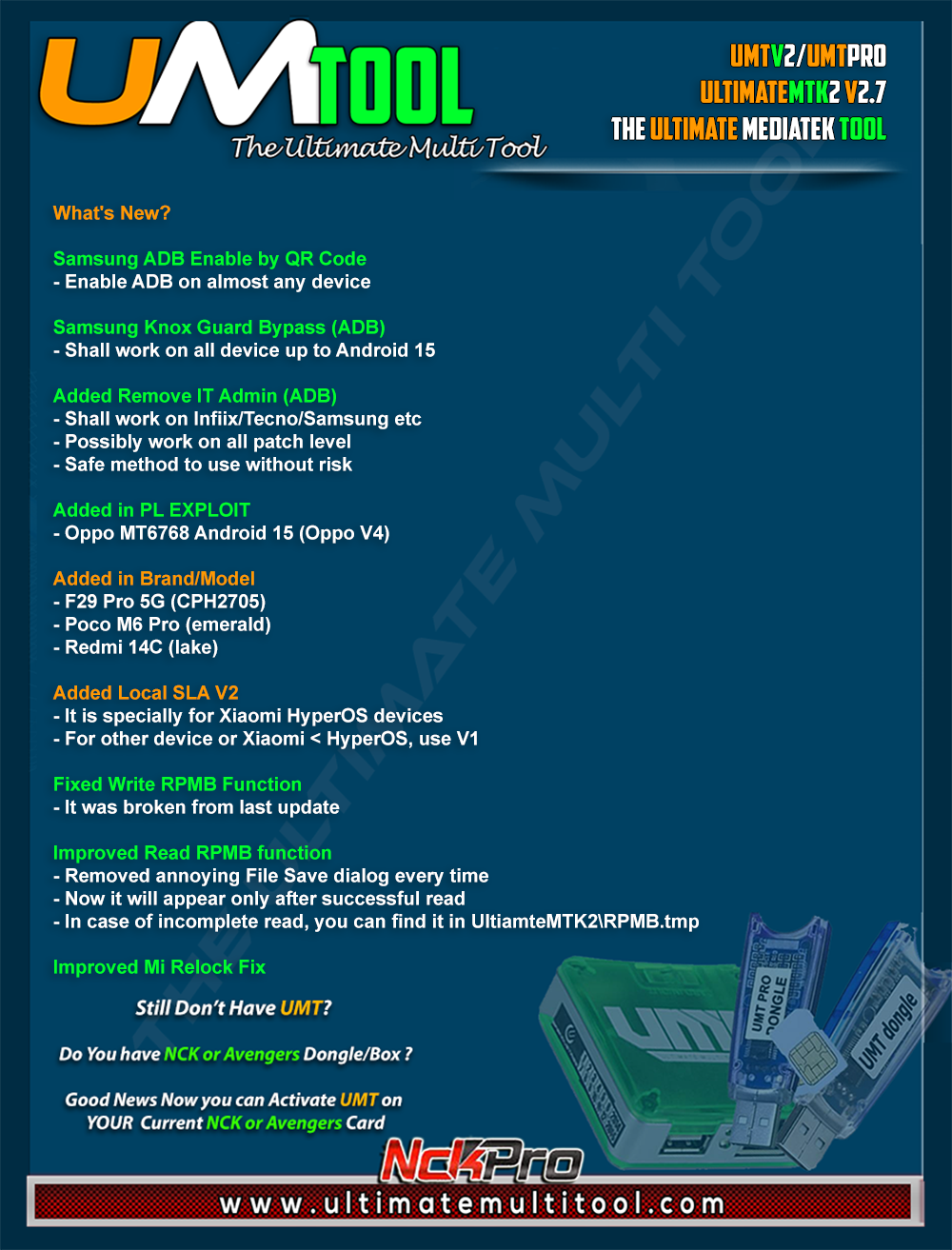
What's New:
Samsung ADB Enable by QR Code
- Enable ADB on almost any device
Samsung Knox Guard Bypass (ADB)
- Shall work on all device up to Android 15
Added Remove IT Admin (ADB)
- Shall work on Infiix/Tecno/Samsung etc
- Possibly work on all patch level
- Safe method to use without risk
Added in PL EXPLOIT
- Oppo MT6768 Adnroid 15 (Oppo V4)
Added in Brand/Model
- F29 Pro 5G (CPH2705)
- Poco M6 Pro (emerald)
- Redmi 14C (lake)
Added Local SLA V2
- It is specially for Xiaomi HyperOS devices
- For other device or Xiaomi < HyperOS, use V1
Fixed Write RPMB Function
- It was broken from last update
Improved Read RPMB Function
- Removed annoying File Save dialog every time
- Now it will appear only after successful read
- In case of incomplete read, you can find it in UltiamteMTK2\RPMB.tmp
Improved Mi Relock Fix
Special thanks to all our users who helped us with their test reports.
Important Notes:
- You can flash device with both BROM and Preloader mode
- If default DA does not work, use own DA in custom DA
- Force BROM may not work on new security, use Test Point instead
- When using Test Point, you must select Preloader in PL (not needed when flashing)
- If you need to connect device in Preloader mode, you must select PRELOADER in connection settings, otherwise software will try to Crash Preloader (may not work on new security devices)
Note : Some features are device/OS specific and may not work on all devices.
Please use UMT Card Manager to Update Card Counter / Firmware / Activate Add-on, available via Support Access.
It Has Begun...
Keep Following Us...
Some Nice Updates Are On The Way...
SPECIAL THANKS TO OUR VALUABLE USERS FOR THEIR LOVE AND SUPPORT FOR MORE THAN 9 YEARS
WARNING :
ESN / MEID / IMEI REPAIR IS INTENDED TO REPAIR ESN / MEID / IMEI TO ORIGINAL ONE WRITTEN ON PHONE BACK LABEL / BOX. WE DO NOT ENDORSE OR ENCOURAGE ESN / MEID / IMEI CHANGING. ITS ILLEGAL. USER IS SOLE RESPONSIBLE FOR ANY ILLEGAL ACTIVITY DONE WITH USE OF FEATURES PROVIDED IN OUR SOFTWARE, NOT LIMITED TO ESN / MEID / IMEI.
ANY USER USING OUR SOFTWARE FOR ILLEGAL PURPOSE WILL BE SOLE RESPONSIBLE FOR HIS ACTS.
WE CONDEMN USE OF OUR SOFTWARE FOR ANY ILLEGAL PURPOSE.
How to Download:
- Download UMT Support Access.
- Connect UMT Box/Dongle to PC and Run UMT Support Access.
- Download required Executable from Installer folder.
- Enjoy!
- Download Mirrors
PLEASE DO NOT POST OFF TOPIC HERE. ONLY POST REGARDING THIS UPDATE AND SUPPORTED MODELS. ANY OFF TOPIC POST WILL BE DELETED
Telegram
Br,
UMT
karabo13
Active Member
karabo13
Active Member
Does it works on qualcomm and spd phones or only mtk phones?
Added Remove IT Admin (ADB)
- Shall work on Infiix/Tecno/Samsung etc
Added Remove IT Admin (ADB)
- Shall work on Infiix/Tecno/Samsung etc
Mdrashidulislam
Active Member
Oppo realme android 15 not working i am try many time failed...realme c65 rmx3910 & oppo a18 cph2591 failedWe are pleased to announce
UMTv2 / UMT Pro
Innovative and Intelligent
UltimateMTK2 v2.7
The Ultimate MediaTek Tool
What's New:
Samsung ADB Enable by QR Code
- Enable ADB on almost any device
Samsung Knox Guard Bypass (ADB)
- Shall work on all device up to Android 15
Added Remove IT Admin (ADB)
- Shall work on Infiix/Tecno/Samsung etc
- Possibly work on all patch level
- Safe method to use without risk
Added in PL EXPLOIT
- Oppo MT6768 Adnroid 15 (Oppo V4)
Added in Brand/Model
- F29 Pro 5G (CPH2705)
- Poco M6 Pro (emerald)
- Redmi 14C (lake)
Added Local SLA V2
- It is specially for Xiaomi HyperOS devices
- For other device or Xiaomi < HyperOS, use V1
Fixed Write RPMB Function
- It was broken from last update
Improved Read RPMB Function
- Removed annoying File Save dialog every time
- Now it will appear only after successful read
- In case of incomplete read, you can find it in UltiamteMTK2\RPMB.tmp
Improved Mi Relock Fix
Special thanks to all our users who helped us with their test reports.
Important Notes:
- You can flash device with both BROM and Preloader mode
- If default DA does not work, use own DA in custom DA
- Force BROM may not work on new security, use Test Point instead
- When using Test Point, you must select Preloader in PL (not needed when flashing)
- If you need to connect device in Preloader mode, you must select PRELOADER in connection settings, otherwise software will try to Crash Preloader (may not work on new security devices)
Note : Some features are device/OS specific and may not work on all devices.
Please use UMT Card Manager to Update Card Counter / Firmware / Activate Add-on, available via Support Access.
It Has Begun...
Keep Following Us...
Some Nice Updates Are On The Way...
SPECIAL THANKS TO OUR VALUABLE USERS FOR THEIR LOVE AND SUPPORT FOR MORE THAN 9 YEARS
WARNING :
ESN / MEID / IMEI REPAIR IS INTENDED TO REPAIR ESN / MEID / IMEI TO ORIGINAL ONE WRITTEN ON PHONE BACK LABEL / BOX. WE DO NOT ENDORSE OR ENCOURAGE ESN / MEID / IMEI CHANGING. ITS ILLEGAL. USER IS SOLE RESPONSIBLE FOR ANY ILLEGAL ACTIVITY DONE WITH USE OF FEATURES PROVIDED IN OUR SOFTWARE, NOT LIMITED TO ESN / MEID / IMEI.
ANY USER USING OUR SOFTWARE FOR ILLEGAL PURPOSE WILL BE SOLE RESPONSIBLE FOR HIS ACTS.
WE CONDEMN USE OF OUR SOFTWARE FOR ANY ILLEGAL PURPOSE.
How to Download:
- Download UMT Support Access.
- Connect UMT Box/Dongle to PC and Run UMT Support Access.
- Download required Executable from Installer folder.
- Enjoy!
- Download Mirrors
PLEASE DO NOT POST OFF TOPIC HERE. ONLY POST REGARDING THIS UPDATE AND SUPPORTED MODELS. ANY OFF TOPIC POST WILL BE DELETED
Telegram
Br,
UMT
Oppo A18 CPH2591 Failed both normal frp and 2025 frp also i itry with PARTION MANAGER, and it also failed read and write errors
Brand/Model : *Auto* / *Auto Detect*
Operation : Reset FRP (2025)
LOCAL SLA : OFF
BOOT CFG : [EXPLOIT:2025][OPPO V4]
Waiting for Device...Found
Port : MediaTek PreLoader USB VCOM_V1632 (Android) (COM118)
Device Path : \\?\usb#vid_22d9&pid_0006#5&19a54f1c&0&1#{a5dcbf10-6530-11d2-901f-00c04fb951ed}
Driver : MediaTek Inc., 3.0.1504.0 [usb2ser.sys]
Mode : PRELOADER
Hw ID : MT6768 [0707] Helio P65/G85 k68v1
Details : 8A00,CA00,0000
Sec. Config : [SBA:ON] [SLA:OFF] [DAA:ON]
MEID : 6DC3EEEABA684BE827E0BA229F518843
SoC ID[0] : 07BEB6A95FB1C38849A1C93C29E1E62E
SoC ID[1] : EAF1A6E5E7D8F60F67B147F056C99AF9
WARNING! DA Auth is Enabled! Only Special DA will work!
Sending 1st DA..OK
Jump DA Address...OK
Syncing...OK
Checksum Level is Storage
Connection : preloader
Speed : HIGH-SPEED
Reading RAM Configuration...OK
Sending 2nd DA...OK
HRID : A9009A472ACAAEF4AF68EAEE72A5F5DE
RID : A9009A472ACAAEF4AF68EAEE72A5F5DE
Int. RAM : 0x0000000000070000 [448.00 KB]
Ext. RAM : 0x0000000100000000 [4.00 GB]
Flash ID : G2M212
CID : 13014E47324D32313220308EE01D1BE3
BOOT1 : 0x0000000000400000 [4.00 MB]
BOOT2 : 0x0000000000400000 [4.00 MB]
RPMB : 0x0000000001000000 [16.00 MB]
USERAREA : 0x0000001D1F000000 [116.48 GB]
PRE EOL : NORMAL
Life. Est.A : 0%-10% LIFE TIME USED
Life. Est.B : 0%-10% LIFE TIME USED
Connected to High-Speed DA Port
Reading Partition Table...OK
Running FRP Reset (2025)...Error
Operation Finished.
[UltimateMTK2 v2.7]
Log Saved: 20250830_103858.log
Brand/Model : *Auto* / *Auto Detect*
Operation : Reset FRP
LOCAL SLA : OFF
BOOT CFG : [EXPLOIT:2025][OPPO V4]
Waiting for Device...Found
Port : MediaTek PreLoader USB VCOM_V1632 (Android) (COM118)
Device Path : \\?\usb#vid_22d9&pid_0006#5&19a54f1c&0&1
#{a5dcbf10-6530-11d2-901f-00c04fb951ed}
Driver : MediaTek Inc., 3.0.1504.0 [usb2ser.sys]
Mode : PRELOADER
Hw ID : MT6768 [0707] Helio P65/G85 k68v1
Details : 8A00,CA00,0000
Sec. Config : [SBA:ON] [SLA:OFF] [DAA:ON]
MEID : 6DC3EEEABA684BE827E0BA229F518843
SoC ID[0] : 07BEB6A95FB1C38849A1C93C29E1E62E
SoC ID[1] : EAF1A6E5E7D8F60F67B147F056C99AF9
WARNING! DA Auth is Enabled! Only Special DA will work!
Sending 1st DA..OK
Jump DA Address...OK
Syncing...OK
Checksum Level is Storage
Connection : preloader
Speed : HIGH-SPEED
Reading RAM Configuration...OK
Sending 2nd DA...OK
HRID : A9009A472ACAAEF4AF68EAEE72A5F5DE
RID : A9009A472ACAAEF4AF68EAEE72A5F5DE
Int. RAM : 0x0000000000070000 [448.00 KB]
Ext. RAM : 0x0000000100000000 [4.00 GB]
Flash ID : G2M212
CID : 13014E47324D32313220308EE01D1BE3
BOOT1 : 0x0000000000400000 [4.00 MB]
BOOT2 : 0x0000000000400000 [4.00 MB]
RPMB : 0x0000000001000000 [16.00 MB]
USERAREA : 0x0000001D1F000000 [116.48 GB]
PRE EOL : NORMAL
Life. Est.A : 0%-10% LIFE TIME USED
Life. Est.B : 0%-10% LIFE TIME USED
Connected to High-Speed DA Port
Reading Partition Table...OK
Resetting FRP...Failed!
Operation Finished.
[UltimateMTK2 v2.7]
Log Saved : 20250830_103959.log
Brand/Model : *Auto* / *Auto Detect*
Operation : Reset FRP (2025)
LOCAL SLA : OFF
BOOT CFG : [EXPLOIT:2025][OPPO V4]
Waiting for Device...Found
Port : MediaTek PreLoader USB VCOM_V1632 (Android) (COM118)
Device Path : \\?\usb#vid_22d9&pid_0006#5&19a54f1c&0&1#{a5dcbf10-6530-11d2-901f-00c04fb951ed}
Driver : MediaTek Inc., 3.0.1504.0 [usb2ser.sys]
Mode : PRELOADER
Hw ID : MT6768 [0707] Helio P65/G85 k68v1
Details : 8A00,CA00,0000
Sec. Config : [SBA:ON] [SLA:OFF] [DAA:ON]
MEID : 6DC3EEEABA684BE827E0BA229F518843
SoC ID[0] : 07BEB6A95FB1C38849A1C93C29E1E62E
SoC ID[1] : EAF1A6E5E7D8F60F67B147F056C99AF9
WARNING! DA Auth is Enabled! Only Special DA will work!
Sending 1st DA..OK
Jump DA Address...OK
Syncing...OK
Checksum Level is Storage
Connection : preloader
Speed : HIGH-SPEED
Reading RAM Configuration...OK
Sending 2nd DA...OK
HRID : A9009A472ACAAEF4AF68EAEE72A5F5DE
RID : A9009A472ACAAEF4AF68EAEE72A5F5DE
Int. RAM : 0x0000000000070000 [448.00 KB]
Ext. RAM : 0x0000000100000000 [4.00 GB]
Flash ID : G2M212
CID : 13014E47324D32313220308EE01D1BE3
BOOT1 : 0x0000000000400000 [4.00 MB]
BOOT2 : 0x0000000000400000 [4.00 MB]
RPMB : 0x0000000001000000 [16.00 MB]
USERAREA : 0x0000001D1F000000 [116.48 GB]
PRE EOL : NORMAL
Life. Est.A : 0%-10% LIFE TIME USED
Life. Est.B : 0%-10% LIFE TIME USED
Connected to High-Speed DA Port
Reading Partition Table...OK
Running FRP Reset (2025)...Error
Operation Finished.
[UltimateMTK2 v2.7]
Log Saved: 20250830_103858.log
Brand/Model : *Auto* / *Auto Detect*
Operation : Reset FRP
LOCAL SLA : OFF
BOOT CFG : [EXPLOIT:2025][OPPO V4]
Waiting for Device...Found
Port : MediaTek PreLoader USB VCOM_V1632 (Android) (COM118)
Device Path : \\?\usb#vid_22d9&pid_0006#5&19a54f1c&0&1
#{a5dcbf10-6530-11d2-901f-00c04fb951ed}
Driver : MediaTek Inc., 3.0.1504.0 [usb2ser.sys]
Mode : PRELOADER
Hw ID : MT6768 [0707] Helio P65/G85 k68v1
Details : 8A00,CA00,0000
Sec. Config : [SBA:ON] [SLA:OFF] [DAA:ON]
MEID : 6DC3EEEABA684BE827E0BA229F518843
SoC ID[0] : 07BEB6A95FB1C38849A1C93C29E1E62E
SoC ID[1] : EAF1A6E5E7D8F60F67B147F056C99AF9
WARNING! DA Auth is Enabled! Only Special DA will work!
Sending 1st DA..OK
Jump DA Address...OK
Syncing...OK
Checksum Level is Storage
Connection : preloader
Speed : HIGH-SPEED
Reading RAM Configuration...OK
Sending 2nd DA...OK
HRID : A9009A472ACAAEF4AF68EAEE72A5F5DE
RID : A9009A472ACAAEF4AF68EAEE72A5F5DE
Int. RAM : 0x0000000000070000 [448.00 KB]
Ext. RAM : 0x0000000100000000 [4.00 GB]
Flash ID : G2M212
CID : 13014E47324D32313220308EE01D1BE3
BOOT1 : 0x0000000000400000 [4.00 MB]
BOOT2 : 0x0000000000400000 [4.00 MB]
RPMB : 0x0000000001000000 [16.00 MB]
USERAREA : 0x0000001D1F000000 [116.48 GB]
PRE EOL : NORMAL
Life. Est.A : 0%-10% LIFE TIME USED
Life. Est.B : 0%-10% LIFE TIME USED
Connected to High-Speed DA Port
Reading Partition Table...OK
Resetting FRP...Failed!
Operation Finished.
[UltimateMTK2 v2.7]
Log Saved : 20250830_103959.log
CHECK PLEASE :
Brand/Model : *Auto* / *Auto Detect*
Operation : Reset FRP
LOCAL SLA : OFF
BOOT CFG : [EXPLOIT:2025][OPPO V4]
Waiting for Device...Found
Port : MediaTek PreLoader USB VCOM V2 (Android) (COM8)
Device Path : \\?\usb#vid_22d9&pid_0006#7&18311672&0&3#{a5dcbf10-6530-11d2-901f-00c04fb951ed}
Driver : , []
Mode : PRELOADER
Hw ID : MT6768 [0707] Helio P65/G85 k68v1
Details : 8A00,CA00,0000
Sec. Config : [SBA:ON] [SLA:OFF] [DAA:ON]
MEID : 1132D595987FEEFB00D939304118E801
SoC ID[0] : 710EDB971338B67797E11574540866E2
SoC ID[1] : 6DA2DBD7A100E7B76B19C8FDEFE4047C
WARNING! DA Auth is Enabled! Only Special DA will work!
Sending 1st DA..OK
Jump DA Address...OK
Syncing...OK
Checksum Level is Storage
Connection : preloader
Speed : HIGH-SPEED
Reading RAM Configuration...OK
Sending 2nd DA...OK
HRID : 64DF20FA42485332BB047162CAD26115
RID : 64DF20FA42485332BB047162CAD26115
Int. RAM : 0x0000000000070000 [448.00 KB]
Ext. RAM : 0x0000000100000000 [4.00 GB]
Flash ID : G2M212
CID : 13014E47324D323132202F426D3C9A8B
BOOT1 : 0x0000000000400000 [4.00 MB]
BOOT2 : 0x0000000000400000 [4.00 MB]
RPMB : 0x0000000001000000 [16.00 MB]
USERAREA : 0x0000001D1F000000 [116.48 GB]
PRE EOL : NORMAL
Life. Est.A : 0%-10% LIFE TIME USED
Life. Est.B : 0%-10% LIFE TIME USED
Reading Partition Table...OK
Resetting FRP...Failed!
Operation Finished.
[UltimateMTK2 v2.7]
Log Saved : 20250830_092908.log
ALSO CHECK THIS
NOT DONE REDMI 14C
NOT DONE REDMI 14C
Brand/Model : Xiaomi / Redmi 14C (lake)
Operation : Unlock Bootloader
LOCAL SLA : ON
BOOT CFG : [EXPLOIT:PL]
Waiting for Device...Found
Port : MediaTek PreLoader USB VCOM (Android) (COM79)
Device Path : \\?\usb#vid_0e8d&pid_2000#7&18311672&0&3#{a5dcbf10-6530-11d2-901f-00c04fb951ed}
Driver : MediaTek Inc., 3.0.1512.0 [usb2ser.sys]
Mode : PRELOADER
Hw ID : MT6768 [0707] Helio P65/G85 k68v1
Details : 8A00,CA00,0000
Sec. Config : [SBA:ON] [SLA:ON] [DAA:ON]
MEID : 07A6D704071A3758780A2D62C2EBF976
SoC ID[0] : 930059831308AF02ABAFAA7569137DC8
SoC ID[1] : 9C9476D25E78D7C6E697E769A2B3CAD9
Sending 1st DA..OK
Jump DA Address...OK
Syncing...OK
Checksum Level is Storage
Connection : preloader
Speed : HIGH-SPEED
Reading RAM Configuration...OK
Running PL_EXPLOIT [1]...Done
Sending 2nd DA...[C0010001] Error Failed!
Operation Finished.
[UltimateMTK2 v2.7]
Log Saved : 20250830_093326.log

iwanazzam
Junior Member
oppo a18 android 15 fail
Brand/Model : *Auto* / *Auto Detect*
Operation : Reset FRP
LOCAL SLA : ON
BOOT CFG : [EXPLOIT:2025][OPPO V4]
Waiting for Device...Found
Port : MediaTek PreLoader USB VCOM_V1632 (Android) (COM101)
Device Path : \\?\usb#vid_22d9&pid_0006#6&3a944ce5&0&2#{a5dcbf10-6530-11d2-901f-00c04fb951ed}
Driver : MediaTek Inc., 3.0.1504.0 [usb2ser.sys]
Mode : PRELOADER
Hw ID : MT6768 [0707] Helio P65/G85 k68v1
Details : 8A00,CA00,0000
Sec. Config : [SBA:ON] [SLA:OFF] [DAA:ON]
MEID : 622E4706F18147220766E4D153B20D7D
SoC ID[0] : BAC76FEE93B50CAEE0555F091682C3BB
SoC ID[1] : B4B0FA40E626EF47C7FFDE76D8327C45
WARNING! DA Auth is Enabled! Only Special DA will work!
Sending 1st DA..OK
Jump DA Address...OK
Syncing...OK
Checksum Level is Storage
Connection : preloader
Speed : HIGH-SPEED
Reading RAM Configuration...OK
Sending 2nd DA...OK
Local SLA (Generic) V2...Blob Error!
Failed to read RAM configuration!
Operation Finished.
[UltimateMTK2 v2.7]
Log Saved : 20250830_153004.log
Brand/Model : *Auto* / *Auto Detect*
Operation : Reset FRP
LOCAL SLA : ON
BOOT CFG : [EXPLOIT:2025][OPPO V4]
Waiting for Device...Found
Port : MediaTek PreLoader USB VCOM_V1632 (Android) (COM101)
Device Path : \\?\usb#vid_22d9&pid_0006#6&3a944ce5&0&2#{a5dcbf10-6530-11d2-901f-00c04fb951ed}
Driver : MediaTek Inc., 3.0.1504.0 [usb2ser.sys]
Mode : PRELOADER
Hw ID : MT6768 [0707] Helio P65/G85 k68v1
Details : 8A00,CA00,0000
Sec. Config : [SBA:ON] [SLA:OFF] [DAA:ON]
MEID : 622E4706F18147220766E4D153B20D7D
SoC ID[0] : BAC76FEE93B50CAEE0555F091682C3BB
SoC ID[1] : B4B0FA40E626EF47C7FFDE76D8327C45
WARNING! DA Auth is Enabled! Only Special DA will work!
Sending 1st DA..OK
Jump DA Address...OK
Syncing...OK
Checksum Level is Storage
Connection : preloader
Speed : HIGH-SPEED
Reading RAM Configuration...OK
Sending 2nd DA...OK
Local SLA (Generic) V2...Blob Error!
Failed to read RAM configuration!
Operation Finished.
[UltimateMTK2 v2.7]
Log Saved : 20250830_153004.log