UMT UMT Box / PRO Modules Updates Here

UMT Box

SPYROS

Product Supporter
Jan 27, 2023
371
1,268
PK
We are pleased to announce
UMTv2 / UMT Pro
Innovative and Intelligent


UltimateMTK2 v2.3
The Ultimate MediaTek Tool
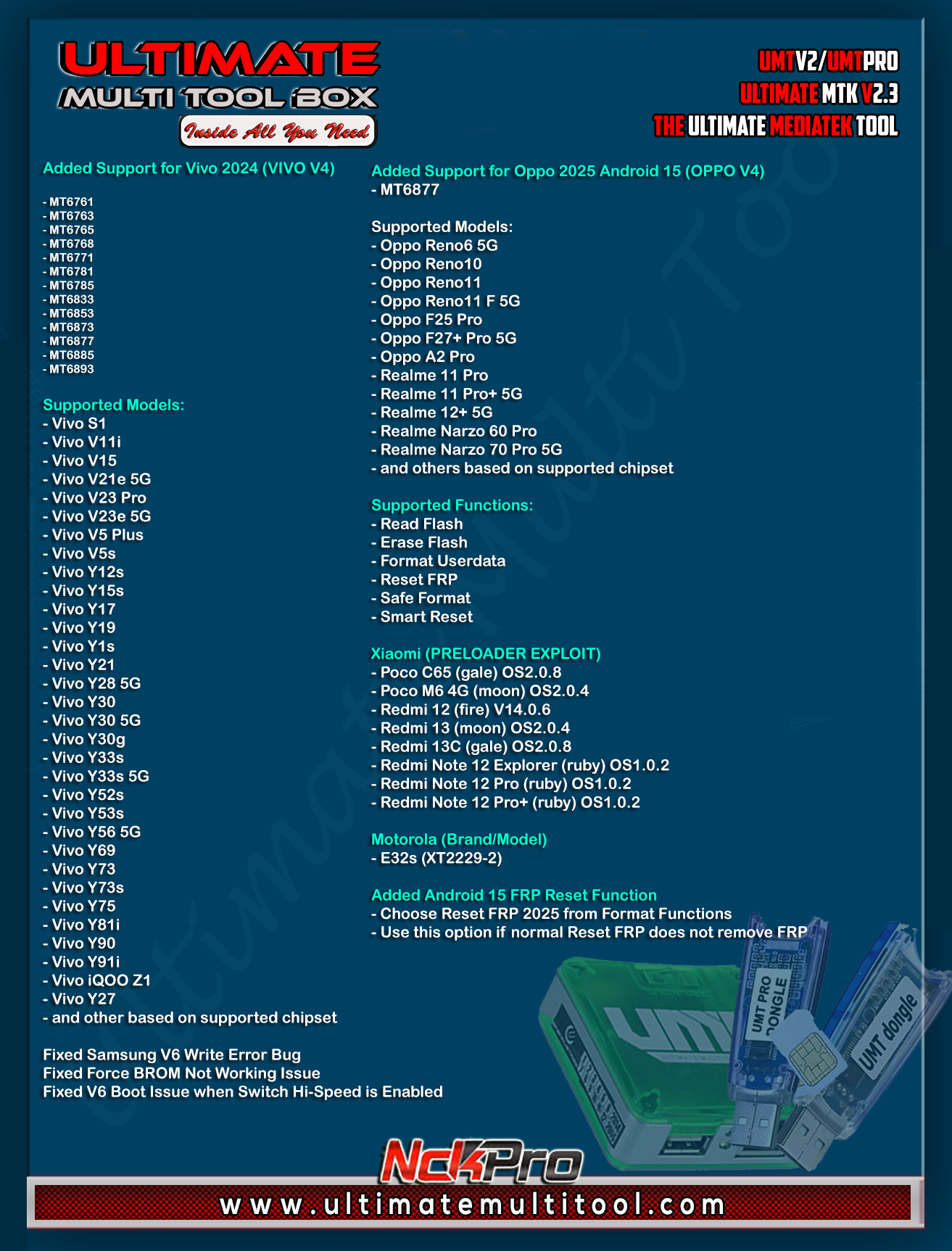


What's New:

Added Support for Vivo 2024 (VIVO V4)
- MT6761
- MT6763
- MT6765
- MT6768
- MT6771
- MT6781
- MT6785
- MT6833
- MT6853
- MT6873
- MT6877
- MT6885
- MT6893

Supported Models:
- Vivo S1
- Vivo V11i
- Vivo V15
- Vivo V21e 5G
- Vivo V23 Pro
- Vivo V23e 5G
- Vivo V5 Plus
- Vivo V5s
- Vivo Y12s
- Vivo Y15s
- Vivo Y17
- Vivo Y19
- Vivo Y1s
- Vivo Y21
- Vivo Y28 5G
- Vivo Y30
- Vivo Y30 5G
- Vivo Y30g
- Vivo Y33s
- Vivo Y33s 5G
- Vivo Y52s
- Vivo Y53s
- Vivo Y56 5G
- Vivo Y69
- Vivo Y73
- Vivo Y73s
- Vivo Y75
- Vivo Y81i
- Vivo Y90
- Vivo Y91i
- Vivo iQOO Z1
- Vivo Y27
- and other based on supported chipset

Added Support for Oppo 2025 Android 15 (OPPO V4)
- MT6877

Supported Models:
- Oppo Reno6 5G
- Oppo Reno10
- Oppo Reno11
- Oppo Reno11 F 5G
- Oppo F25 Pro
- Oppo F27+ Pro 5G
- Oppo A2 Pro
- Realme 11 Pro
- Realme 11 Pro+ 5G
- Realme 12+ 5G
- Realme Narzo 60 Pro
- Realme Narzo 70 Pro 5G
- and others based on supported chipset

Supported Functions:
- Read Flash
- Erase Flash
- Format Userdata
- Reset FRP
- Safe Format
- Smart Reset

Xiaomi (PRELOADER EXPLOIT)
- Poco C65 (gale) OS2.0.8
- Poco M6 4G (moon) OS2.0.4
- Redmi 12 (fire) V14.0.6
- Redmi 13 (moon) OS2.0.4
- Redmi 13C (gale) OS2.0.8
- Redmi Note 12 Explorer (ruby) OS1.0.2
- Redmi Note 12 Pro (ruby) OS1.0.2
- Redmi Note 12 Pro+ (ruby) OS1.0.2

Motorola (Brand/Model)
- E32s (XT2229-2)


Added Android 15 FRP Reset Function
- Choose Reset FRP 2025 from Format Functions
- Use this option if normal Reset FRP does not remove FRP

Fixed Samsung V6 Write Error Bug

Fixed Force BROM Not Working Issue

Fixed V6 Boot Issue when Switch Hi-Speed is Enabled

Improved Read Device Information on all operation


Special thanks to all our users who helped us with their test reports.


Important Notes:

- You can flash device with both BROM and Preloader mode
- If default DA does not work, use own DA in custom DA
- Force BROM may not work on new security, use Test Point instead
- When using Test Point, you must select Preloader in PL (not needed when flashing)
- If you need to connect device in Preloader mode, you must select PRELOADER in connection settings, otherwise software will try to Crash Preloader (may not work on new security devices)


Note : Some features are device/OS specific and may not work on all devices.


Please use
UMT Card Manager to Update Card Counter / Firmware / Activate Add-on, available via Support Access.


It Has Begun...
Keep Following Us...
Some Nice Updates Are On The Way...


SPECIAL THANKS TO OUR VALUABLE USERS FOR THEIR LOVE AND SUPPORT FOR MORE THAN 9 YEARS


WARNING :

ESN / MEID / IMEI REPAIR IS INTENDED TO REPAIR ESN / MEID / IMEI TO ORIGINAL ONE WRITTEN ON PHONE BACK LABEL / BOX. WE DO NOT ENDORSE OR ENCOURAGE ESN / MEID / IMEI CHANGING. ITS ILLEGAL. USER IS SOLE RESPONSIBLE FOR ANY ILLEGAL ACTIVITY DONE WITH USE OF FEATURES PROVIDED IN OUR SOFTWARE, NOT LIMITED TO ESN / MEID / IMEI.


ANY USER USING OUR SOFTWARE FOR ILLEGAL PURPOSE WILL BE SOLE RESPONSIBLE FOR HIS ACTS.
WE CONDEMN USE OF OUR SOFTWARE FOR ANY ILLEGAL PURPOSE.


How to Download:
- Download UMT Support Access.
- Connect UMT Box/Dongle to PC and Run UMT Support Access.
- Download required Executable from Installer folder.
- Enjoy!
- Download Mirrors


PLEASE DO NOT POST OFF TOPIC HERE. ONLY POST REGARDING THIS UPDATE AND SUPPORTED MODELS. ANY OFF TOPIC POST WILL BE DELETED


Telegram


Br,
UMT
 

KHAN JAN

Active Member
Mar 14, 2017
36
10
Pakistan (Karachi)

Tecno Spark 20c Not Work​


Brand/Model : *Auto* / *Auto Detect*
Operation : Smart Reset
BOOT CFG : [EXPLOIT:PL][INFINIX V4]
Waiting for Device...Found
Port : MediaTek PreLoader USB VCOM (Android) (COM7)
Device Path : \\?\usb#vid_0e8d&pid_2000#5&32fe592f&0&2#{86e0d1e0-8089-11d0-9ce4-08003e301f73}
Driver : MediaTek Inc., 3.0.1512.0 [usb2ser.sys]
Mode : PRELOADER
Hw ID : MT6765 [0766] Helio P35/G35
Details : 8A00,CA00,0000
Sec. Config : [SBA:ON] [SLA:OFF] [DAA:ON]
MEID : 41792EF038BD1C52C4A8112D7D524FF4
SoC ID[0] : 4FABBB757D9DB553FF982559C52373DF
SoC ID[1] : A6FE322FA44A16C2CE85F5B91B693BEC
Sending 1st DA..OK
Jump DA Address...OK
Syncing...Failed!
Operation Finished.
[UltimateMTK2 v2.3]
Log Saved : 20250603_210744.log
 
  • Like
Reactions: GsmToto

elgollo38

Friend's Martview
Aug 8, 2021
175
23
ecuador
We are pleased to announce
UMTv2 / UMT Pro
Innovative and Intelligent


UltimateMTK2 v2.3
The Ultimate MediaTek Tool


What's New:

Added Support for Vivo 2024 (VIVO V4)
- MT6761
- MT6763
- MT6765
- MT6768
- MT6771
- MT6781
- MT6785
- MT6833
- MT6853
- MT6873
- MT6877
- MT6885
- MT6893

Supported Models:
- Vivo S1
- Vivo V11i
- Vivo V15
- Vivo V21e 5G
- Vivo V23 Pro
- Vivo V23e 5G
- Vivo V5 Plus
- Vivo V5s
- Vivo Y12s
- Vivo Y15s
- Vivo Y17
- Vivo Y19
- Vivo Y1s
- Vivo Y21
- Vivo Y28 5G
- Vivo Y30
- Vivo Y30 5G
- Vivo Y30g
- Vivo Y33s
- Vivo Y33s 5G
- Vivo Y52s
- Vivo Y53s
- Vivo Y56 5G
- Vivo Y69
- Vivo Y73
- Vivo Y73s
- Vivo Y75
- Vivo Y81i
- Vivo Y90
- Vivo Y91i
- Vivo iQOO Z1
- Vivo Y27
- and other based on supported chipset

Added Support for Oppo 2025 Android 15 (OPPO V4)
- MT6877

Supported Models:
- Oppo Reno6 5G
- Oppo Reno10
- Oppo Reno11
- Oppo Reno11 F 5G
- Oppo F25 Pro
- Oppo F27+ Pro 5G
- Oppo A2 Pro
- Realme 11 Pro
- Realme 11 Pro+ 5G
- Realme 12+ 5G
- Realme Narzo 60 Pro
- Realme Narzo 70 Pro 5G
- and others based on supported chipset

Supported Functions:
- Read Flash
- Erase Flash
- Format Userdata
- Reset FRP
- Safe Format
- Smart Reset

Xiaomi (PRELOADER EXPLOIT)
- Poco C65 (gale) OS2.0.8
- Poco M6 4G (moon) OS2.0.4
- Redmi 12 (fire) V14.0.6
- Redmi 13 (moon) OS2.0.4
- Redmi 13C (gale) OS2.0.8
- Redmi Note 12 Explorer (ruby) OS1.0.2
- Redmi Note 12 Pro (ruby) OS1.0.2
- Redmi Note 12 Pro+ (ruby) OS1.0.2

Motorola (Brand/Model)
- E32s (XT2229-2)


Added Android 15 FRP Reset Function
- Choose Reset FRP 2025 from Format Functions
- Use this option if normal Reset FRP does not remove FRP

Fixed Samsung V6 Write Error Bug

Fixed Force BROM Not Working Issue

Fixed V6 Boot Issue when Switch Hi-Speed is Enabled

Improved Read Device Information on all operation


Special thanks to all our users who helped us with their test reports.


Important Notes:

- You can flash device with both BROM and Preloader mode
- If default DA does not work, use own DA in custom DA
- Force BROM may not work on new security, use Test Point instead
- When using Test Point, you must select Preloader in PL (not needed when flashing)
- If you need to connect device in Preloader mode, you must select PRELOADER in connection settings, otherwise software will try to Crash Preloader (may not work on new security devices)


Note : Some features are device/OS specific and may not work on all devices.


Please use
UMT Card Manager to Update Card Counter / Firmware / Activate Add-on, available via Support Access.


It Has Begun...
Keep Following Us...
Some Nice Updates Are On The Way...


SPECIAL THANKS TO OUR VALUABLE USERS FOR THEIR LOVE AND SUPPORT FOR MORE THAN 9 YEARS


WARNING :

ESN / MEID / IMEI REPAIR IS INTENDED TO REPAIR ESN / MEID / IMEI TO ORIGINAL ONE WRITTEN ON PHONE BACK LABEL / BOX. WE DO NOT ENDORSE OR ENCOURAGE ESN / MEID / IMEI CHANGING. ITS ILLEGAL. USER IS SOLE RESPONSIBLE FOR ANY ILLEGAL ACTIVITY DONE WITH USE OF FEATURES PROVIDED IN OUR SOFTWARE, NOT LIMITED TO ESN / MEID / IMEI.


ANY USER USING OUR SOFTWARE FOR ILLEGAL PURPOSE WILL BE SOLE RESPONSIBLE FOR HIS ACTS.
WE CONDEMN USE OF OUR SOFTWARE FOR ANY ILLEGAL PURPOSE.


How to Download:
- Download UMT Support Access.
- Connect UMT Box/Dongle to PC and Run UMT Support Access.
- Download required Executable from Installer folder.
- Enjoy!
- Download Mirrors


PLEASE DO NOT POST OFF TOPIC HERE. ONLY POST REGARDING THIS UPDATE AND SUPPORTED MODELS. ANY OFF TOPIC POST WILL BE DELETED


Telegram


Br,
UMT
please update mediatek Dimensity 7300 MT6878, please, generic, repair imei null
 
  • Like
Reactions: GsmToto

elgollo38

Friend's Martview
Aug 8, 2021
175
23
ecuador
We are pleased to announce
UMTv2 / UMT Pro
Innovative and Intelligent


UltimateMTK2 v2.3
The Ultimate MediaTek Tool


What's New:

Added Support for Vivo 2024 (VIVO V4)
- MT6761
- MT6763
- MT6765
- MT6768
- MT6771
- MT6781
- MT6785
- MT6833
- MT6853
- MT6873
- MT6877
- MT6885
- MT6893

Supported Models:
- Vivo S1
- Vivo V11i
- Vivo V15
- Vivo V21e 5G
- Vivo V23 Pro
- Vivo V23e 5G
- Vivo V5 Plus
- Vivo V5s
- Vivo Y12s
- Vivo Y15s
- Vivo Y17
- Vivo Y19
- Vivo Y1s
- Vivo Y21
- Vivo Y28 5G
- Vivo Y30
- Vivo Y30 5G
- Vivo Y30g
- Vivo Y33s
- Vivo Y33s 5G
- Vivo Y52s
- Vivo Y53s
- Vivo Y56 5G
- Vivo Y69
- Vivo Y73
- Vivo Y73s
- Vivo Y75
- Vivo Y81i
- Vivo Y90
- Vivo Y91i
- Vivo iQOO Z1
- Vivo Y27
- and other based on supported chipset

Added Support for Oppo 2025 Android 15 (OPPO V4)
- MT6877

Supported Models:
- Oppo Reno6 5G
- Oppo Reno10
- Oppo Reno11
- Oppo Reno11 F 5G
- Oppo F25 Pro
- Oppo F27+ Pro 5G
- Oppo A2 Pro
- Realme 11 Pro
- Realme 11 Pro+ 5G
- Realme 12+ 5G
- Realme Narzo 60 Pro
- Realme Narzo 70 Pro 5G
- and others based on supported chipset

Supported Functions:
- Read Flash
- Erase Flash
- Format Userdata
- Reset FRP
- Safe Format
- Smart Reset

Xiaomi (PRELOADER EXPLOIT)
- Poco C65 (gale) OS2.0.8
- Poco M6 4G (moon) OS2.0.4
- Redmi 12 (fire) V14.0.6
- Redmi 13 (moon) OS2.0.4
- Redmi 13C (gale) OS2.0.8
- Redmi Note 12 Explorer (ruby) OS1.0.2
- Redmi Note 12 Pro (ruby) OS1.0.2
- Redmi Note 12 Pro+ (ruby) OS1.0.2

Motorola (Brand/Model)
- E32s (XT2229-2)


Added Android 15 FRP Reset Function
- Choose Reset FRP 2025 from Format Functions
- Use this option if normal Reset FRP does not remove FRP

Fixed Samsung V6 Write Error Bug

Fixed Force BROM Not Working Issue

Fixed V6 Boot Issue when Switch Hi-Speed is Enabled

Improved Read Device Information on all operation


Special thanks to all our users who helped us with their test reports.


Important Notes:

- You can flash device with both BROM and Preloader mode
- If default DA does not work, use own DA in custom DA
- Force BROM may not work on new security, use Test Point instead
- When using Test Point, you must select Preloader in PL (not needed when flashing)
- If you need to connect device in Preloader mode, you must select PRELOADER in connection settings, otherwise software will try to Crash Preloader (may not work on new security devices)


Note : Some features are device/OS specific and may not work on all devices.


Please use
UMT Card Manager to Update Card Counter / Firmware / Activate Add-on, available via Support Access.


It Has Begun...
Keep Following Us...
Some Nice Updates Are On The Way...


SPECIAL THANKS TO OUR VALUABLE USERS FOR THEIR LOVE AND SUPPORT FOR MORE THAN 9 YEARS


WARNING :

ESN / MEID / IMEI REPAIR IS INTENDED TO REPAIR ESN / MEID / IMEI TO ORIGINAL ONE WRITTEN ON PHONE BACK LABEL / BOX. WE DO NOT ENDORSE OR ENCOURAGE ESN / MEID / IMEI CHANGING. ITS ILLEGAL. USER IS SOLE RESPONSIBLE FOR ANY ILLEGAL ACTIVITY DONE WITH USE OF FEATURES PROVIDED IN OUR SOFTWARE, NOT LIMITED TO ESN / MEID / IMEI.


ANY USER USING OUR SOFTWARE FOR ILLEGAL PURPOSE WILL BE SOLE RESPONSIBLE FOR HIS ACTS.
WE CONDEMN USE OF OUR SOFTWARE FOR ANY ILLEGAL PURPOSE.


How to Download:
- Download UMT Support Access.
- Connect UMT Box/Dongle to PC and Run UMT Support Access.
- Download required Executable from Installer folder.
- Enjoy!
- Download Mirrors


PLEASE DO NOT POST OFF TOPIC HERE. ONLY POST REGARDING THIS UPDATE AND SUPPORTED MODELS. ANY OFF TOPIC POST WILL BE DELETED


Telegram


Br,
UMT
We want something new, all the tools updates are identical to each other,
 

SPYROS

Product Supporter
Jan 27, 2023
371
1,268
PK
We are pleased to announce
UMTv2 / UMT Pro
Innovative and Intelligent


UltimateMTK2 v2.4
The Ultimate MediaTek Tool


What's New:


Oppo MT6833 (OPPO V4) Preloader Exploit
- Support Oppo Device based on MT6833 Chipset till Android 15
- If some device is not supported, you can try BROM Exploit with FORCE BROM

Following devices and others should be supported:

Oppo

- A53s 5G (CPH2321)
- A56s 5G (PFTM20)
- A57 5G (PFTM20)
- A59 5G (CPH2617)
- A77 5G (CPH2339)
- A78 5G (CPH2495)
- A79 5G (CPH2553)
- A93s 5G (PFGM00)
- A97 5G (PFTM10)
- K10 5G (CPH2337)

Realme
- 8 5G (RMX3241)
- 9 5G ((RMX3388)
- 9i 5G (RMX3612)
- 10 5G (RMX3663)
- 10T 5G (RMX3621)
- Narzo 30 5G (RMX3242)
- Narzo 50 5G (RMX3571)
- Narzo 60 (RMX3750)
- Q3i 5G (RMX3042)
- Q5i (RMX3574)
- V11s 5G (RMX3125)
- V13 5G 2021 (RMX3041)


Motorola V1 (MOTO V1) Preloader Exploit
- MT6768
- MT6789

Infinix New Preloader Exploit (INFINIX V5)
- MT6789
- MT6835
- MT6855
- MT6895
- MT6983

Added Local SLA Authentication Function
- When Enabled it will automatically use Local SLA Authenticaion
- Supports Tecno/Infinix/Motorola/Xiaomi and other devices
- If SLA Auth Fails during boot, you can turn it OFF and try again
- On Xaiomi/Infinix/Tecno Exploit, you mostly need to keep it turned ON


Updated Preloader Boot Function


Some Minor Imrpovements and Fixes


Special thanks to all our users who helped us with their test reports.


Important Notes:

- You can flash device with both BROM and Preloader mode
- If default DA does not work, use own DA in custom DA
- Force BROM may not work on new security, use Test Point instead
- When using Test Point, you must select Preloader in PL (not needed when flashing)
- If you need to connect device in Preloader mode, you must select PRELOADER in connection settings, otherwise software will try to Crash Preloader (may not work on new security devices)


Note : Some features are device/OS specific and may not work on all devices.


Please use
UMT Card Manager to Update Card Counter / Firmware / Activate Add-on, available via Support Access.


It Has Begun...
Keep Following Us...
Some Nice Updates Are On The Way...


SPECIAL THANKS TO OUR VALUABLE USERS FOR THEIR LOVE AND SUPPORT FOR MORE THAN 9 YEARS


WARNING :

ESN / MEID / IMEI REPAIR IS INTENDED TO REPAIR ESN / MEID / IMEI TO ORIGINAL ONE WRITTEN ON PHONE BACK LABEL / BOX. WE DO NOT ENDORSE OR ENCOURAGE ESN / MEID / IMEI CHANGING. ITS ILLEGAL. USER IS SOLE RESPONSIBLE FOR ANY ILLEGAL ACTIVITY DONE WITH USE OF FEATURES PROVIDED IN OUR SOFTWARE, NOT LIMITED TO ESN / MEID / IMEI.


ANY USER USING OUR SOFTWARE FOR ILLEGAL PURPOSE WILL BE SOLE RESPONSIBLE FOR HIS ACTS.
WE CONDEMN USE OF OUR SOFTWARE FOR ANY ILLEGAL PURPOSE.


How to Download:
- Download UMT Support Access.
- Connect UMT Box/Dongle to PC and Run UMT Support Access.
- Download required Executable from Installer folder.
- Enjoy!
- Download Mirrors


PLEASE DO NOT POST OFF TOPIC HERE. ONLY POST REGARDING THIS UPDATE AND SUPPORTED MODELS. ANY OFF TOPIC POST WILL BE DELETED


Telegram


Br,
UMT
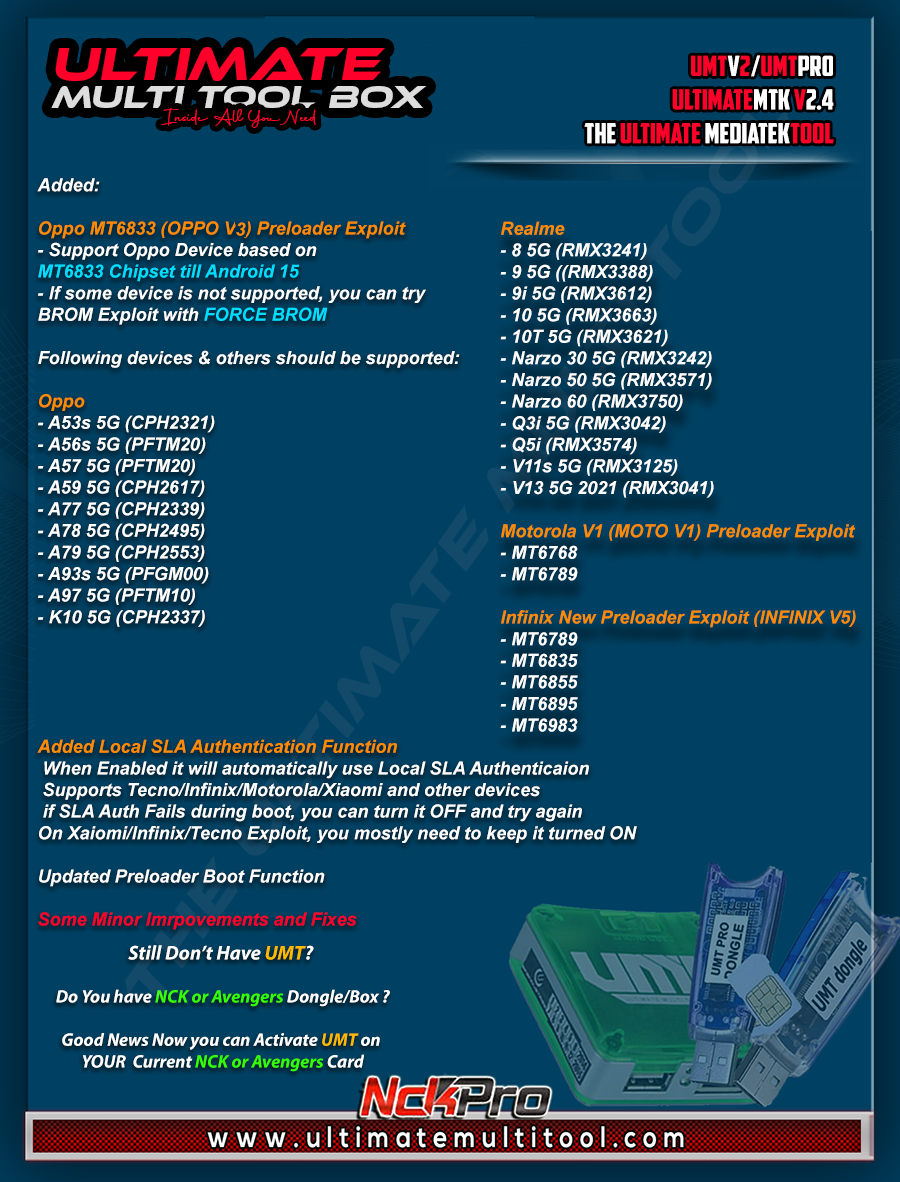
 

shaiksha85

Junior Member
Mar 8, 2021
2
0
india
We are pleased to announce
UMTv2 / UMT Pro
Innovative and Intelligent


UltimateMTK2 v2.4
The Ultimate MediaTek Tool


What's New:


Oppo MT6833 (OPPO V4) Preloader Exploit
- Support Oppo Device based on MT6833 Chipset till Android 15
- If some device is not supported, you can try BROM Exploit with FORCE BROM

Following devices and others should be supported:

Oppo

- A53s 5G (CPH2321)
- A56s 5G (PFTM20)
- A57 5G (PFTM20)
- A59 5G (CPH2617)
- A77 5G (CPH2339)
- A78 5G (CPH2495)
- A79 5G (CPH2553)
- A93s 5G (PFGM00)
- A97 5G (PFTM10)
- K10 5G (CPH2337)

Realme
- 8 5G (RMX3241)
- 9 5G ((RMX3388)
- 9i 5G (RMX3612)
- 10 5G (RMX3663)
- 10T 5G (RMX3621)
- Narzo 30 5G (RMX3242)
- Narzo 50 5G (RMX3571)
- Narzo 60 (RMX3750)
- Q3i 5G (RMX3042)
- Q5i (RMX3574)
- V11s 5G (RMX3125)
- V13 5G 2021 (RMX3041)


Motorola V1 (MOTO V1) Preloader Exploit
- MT6768
- MT6789

Infinix New Preloader Exploit (INFINIX V5)
- MT6789
- MT6835
- MT6855
- MT6895
- MT6983

Added Local SLA Authentication Function
- When Enabled it will automatically use Local SLA Authenticaion
- Supports Tecno/Infinix/Motorola/Xiaomi and other devices
- If SLA Auth Fails during boot, you can turn it OFF and try again
- On Xaiomi/Infinix/Tecno Exploit, you mostly need to keep it turned ON


Updated Preloader Boot Function


Some Minor Imrpovements and Fixes


Special thanks to all our users who helped us with their test reports.


Important Notes:

- You can flash device with both BROM and Preloader mode
- If default DA does not work, use own DA in custom DA
- Force BROM may not work on new security, use Test Point instead
- When using Test Point, you must select Preloader in PL (not needed when flashing)
- If you need to connect device in Preloader mode, you must select PRELOADER in connection settings, otherwise software will try to Crash Preloader (may not work on new security devices)


Note : Some features are device/OS specific and may not work on all devices.


Please use
UMT Card Manager to Update Card Counter / Firmware / Activate Add-on, available via Support Access.


It Has Begun...
Keep Following Us...
Some Nice Updates Are On The Way...


SPECIAL THANKS TO OUR VALUABLE USERS FOR THEIR LOVE AND SUPPORT FOR MORE THAN 9 YEARS


WARNING :

ESN / MEID / IMEI REPAIR IS INTENDED TO REPAIR ESN / MEID / IMEI TO ORIGINAL ONE WRITTEN ON PHONE BACK LABEL / BOX. WE DO NOT ENDORSE OR ENCOURAGE ESN / MEID / IMEI CHANGING. ITS ILLEGAL. USER IS SOLE RESPONSIBLE FOR ANY ILLEGAL ACTIVITY DONE WITH USE OF FEATURES PROVIDED IN OUR SOFTWARE, NOT LIMITED TO ESN / MEID / IMEI.


ANY USER USING OUR SOFTWARE FOR ILLEGAL PURPOSE WILL BE SOLE RESPONSIBLE FOR HIS ACTS.
WE CONDEMN USE OF OUR SOFTWARE FOR ANY ILLEGAL PURPOSE.


How to Download:
- Download UMT Support Access.
- Connect UMT Box/Dongle to PC and Run UMT Support Access.
- Download required Executable from Installer folder.
- Enjoy!
- Download Mirrors


PLEASE DO NOT POST OFF TOPIC HERE. ONLY POST REGARDING THIS UPDATE AND SUPPORTED MODELS. ANY OFF TOPIC POST WILL BE DELETED


Telegram


Br,
UMT

Not Working


Attachments

  • 2025-06-27_145544.jpg
    2025-06-27_145544.jpg
    228.7 KB · Views: 66

arhanmobile

Super Moderator
Aug 16, 2019
2,742
3,608
INDIA
Skype
aftab_ansari5287
PayPal:

Donate money to this user
Redmi A1 (ice) Auto Fastboot Stuck Fix by Umt
Code:
Brand/Model    :    *Auto* / *Auto Detect*
Operation    :    Fix Recovery
LOCAL SLA    :    OFF
BOOT CFG    :    [EXPLOIT:BROM]
Waiting for Device...Found
Port    :    MediaTek USB Port (COM26)
Device Path    :    \\?\usb#vid_0e8d&pid_0003#6&3b683a3c&0&2#{a5dcbf10-6530-11d2-901f-00c04fb951ed}
Driver    :    MediaTek Inc., 3.0.1512.0 [usb2ser.sys]
Mode    :    BROM
Hw ID    :    MT6761 [0717] Helio A20/P22/A22/A25/G25
Details    :    8A00,CA01,0200
Sec. Config    :    [SBA:True] [SLA:True] [DAA:True]
MEID    :    61ADCA3F53FF305C8363485611FB7EC1
SoC ID[0]    :    1D25281C7E0D9212C815D5CE109921C7
SoC ID[1]    :    143BA810A6F1321F543E5CD960B51C53
Running Exploit...Done
Downloading Preloader...OK
PRELOADER    :    preloader_ice.bin
Sec. Config    :    [SBA:OFF] [SLA:OFF] [DAA:OFF]
[INTERNAL] DA Selected!
DA Security Patched
Sending 1st DA...OK
Jump DA Address...OK
Syncing...OK
Checksum Level is Storage
Connection    :    brom
Speed    :    HIGH-SPEED
Reading RAM Configuration...OK
Reading EMI Configuration...OK
CID    :    9B01005932503033320091DD246B6961 [EMMC]
Initializing Storage...OK
Sending 2nd DA...OK
Initialize DA Extension...OK
HRID    :    0F1EAF75CA445BB68ED941E9D922276B
RID    :    0F1EAF75CA445BB68ED941E9D922276B
Int. RAM    :    0x0000000000039000 [228.00 KB]
Ext. RAM    :    0x0000000080000000 [2.00 GB]
Flash ID    :    Y2P032
CID    :    9B01005932503033320091DD246B6961
BOOT1    :    0x0000000000400000 [4.00 MB]
BOOT2    :    0x0000000000400000 [4.00 MB]
RPMB    :    0x0000000001000000 [16.00 MB]
USERAREA    :    0x0000000747C00000 [29.12 GB]
PRE EOL    :    NORMAL
Life. Est.A    :    10%-20% LIFE TIME USED
Life. Est.B    :    10%-20% LIFE TIME USED
Reading Partition Table...OK
dtbo.fprint    :    Redmi/ice_in/ice:12/SP1A.210812.016/V13.0.17.0.SGMINXM
prd.fprint    :    Redmi/missi/missi:12/SP1A.210812.016/V13.0.17.0.SGMINXM
prd.os_ver    :    12
prd.sec_patch    :    2024-12-01
sys.fprint    :    Redmi/missi/missi:12/SP1A.210812.016/V13.0.17.0.SGMINXM
sys.os_ver    :    12
sys.sec_patch    :    2024-12-01
Bootloader    :    LOCKED
Fixing Stuck on Recovery...Done
Operation Finished.
[UltimateMTK2 v2.4]
Log Saved    :    20250627_160459.log
 
  • Like
Reactions: hunnyck

SCKLock4

Junior Member
Oct 9, 2021
1
1
Bangkok
We are pleased to announce
UMTv2 / UMT Pro
Innovative and Intelligent


UltimateMTK2 v2.4
The Ultimate MediaTek Tool


What's New:


Oppo MT6833 (OPPO V4) Preloader Exploit
- Support Oppo Device based on MT6833 Chipset till Android 15
- If some device is not supported, you can try BROM Exploit with FORCE BROM

Following devices and others should be supported:

Oppo

- A53s 5G (CPH2321)
- A56s 5G (PFTM20)
- A57 5G (PFTM20)
- A59 5G (CPH2617)
- A77 5G (CPH2339)
- A78 5G (CPH2495)
- A79 5G (CPH2553)
- A93s 5G (PFGM00)
- A97 5G (PFTM10)
- K10 5G (CPH2337)

Realme
- 8 5G (RMX3241)
- 9 5G ((RMX3388)
- 9i 5G (RMX3612)
- 10 5G (RMX3663)
- 10T 5G (RMX3621)
- Narzo 30 5G (RMX3242)
- Narzo 50 5G (RMX3571)
- Narzo 60 (RMX3750)
- Q3i 5G (RMX3042)
- Q5i (RMX3574)
- V11s 5G (RMX3125)
- V13 5G 2021 (RMX3041)


Motorola V1 (MOTO V1) Preloader Exploit
- MT6768
- MT6789

Infinix New Preloader Exploit (INFINIX V5)
- MT6789
- MT6835
- MT6855
- MT6895
- MT6983

Added Local SLA Authentication Function
- When Enabled it will automatically use Local SLA Authenticaion
- Supports Tecno/Infinix/Motorola/Xiaomi and other devices
- If SLA Auth Fails during boot, you can turn it OFF and try again
- On Xaiomi/Infinix/Tecno Exploit, you mostly need to keep it turned ON


Updated Preloader Boot Function


Some Minor Imrpovements and Fixes


Special thanks to all our users who helped us with their test reports.


Important Notes:

- You can flash device with both BROM and Preloader mode
- If default DA does not work, use own DA in custom DA
- Force BROM may not work on new security, use Test Point instead
- When using Test Point, you must select Preloader in PL (not needed when flashing)
- If you need to connect device in Preloader mode, you must select PRELOADER in connection settings, otherwise software will try to Crash Preloader (may not work on new security devices)


Note : Some features are device/OS specific and may not work on all devices.


Please use
UMT Card Manager to Update Card Counter / Firmware / Activate Add-on, available via Support Access.


It Has Begun...
Keep Following Us...
Some Nice Updates Are On The Way...


SPECIAL THANKS TO OUR VALUABLE USERS FOR THEIR LOVE AND SUPPORT FOR MORE THAN 9 YEARS


WARNING :

ESN / MEID / IMEI REPAIR IS INTENDED TO REPAIR ESN / MEID / IMEI TO ORIGINAL ONE WRITTEN ON PHONE BACK LABEL / BOX. WE DO NOT ENDORSE OR ENCOURAGE ESN / MEID / IMEI CHANGING. ITS ILLEGAL. USER IS SOLE RESPONSIBLE FOR ANY ILLEGAL ACTIVITY DONE WITH USE OF FEATURES PROVIDED IN OUR SOFTWARE, NOT LIMITED TO ESN / MEID / IMEI.


ANY USER USING OUR SOFTWARE FOR ILLEGAL PURPOSE WILL BE SOLE RESPONSIBLE FOR HIS ACTS.
WE CONDEMN USE OF OUR SOFTWARE FOR ANY ILLEGAL PURPOSE.


How to Download:
- Download UMT Support Access.
- Connect UMT Box/Dongle to PC and Run UMT Support Access.
- Download required Executable from Installer folder.
- Enjoy!
- Download Mirrors


PLEASE DO NOT POST OFF TOPIC HERE. ONLY POST REGARDING THIS UPDATE AND SUPPORTED MODELS. ANY OFF TOPIC POST WILL BE DELETED


Telegram


Br,
UMT
Brand/Model : *Auto* / *Auto Detect*
Operation : Reset FRP
LOCAL SLA : ON
BOOT CFG : [EXPLOIT:PL][INFINIX V5]
Waiting for Device...Found
Port : MediaTek PreLoader USB VCOM (Android) (COM54)
Device Path : \\?\usb#vid_0e8d&pid_2000#5&180649f2&0&2#{a5dcbf10-6530-11d2-901f-00c04fb951ed}
Driver : MediaTek Inc., 3.0.1512.0 [usb2ser.sys]
Mode : PRELOADER
Hw ID : MT6789 [1208] MTK Helio G99
Details : 8A00,CA00,0000
Sec. Config : [SBA:ON] [SLA:OFF] [DAA:ON]
MEID : 980E2F2550F8CE669744DE4288DAC8C2
SoC ID[0] : 92337FF4E3C0A06D6FB4CB25F92EC685
SoC ID[1] : FBA80F057CB8139095FCBCC88CF8A6B9
Sending 1st DA..OK
Jump DA Address...OK
Syncing...OK
Failed to set Checksum Level!
Operation Finished.
[UltimateMTK2 v2.4]
Log Saved : 20250628_110743.log
 
  • Like
Reactions: GsmToto
Top