
REDMI 6 PRO FRP REMOVED BY QC FIRE NO AUTH NEEDED
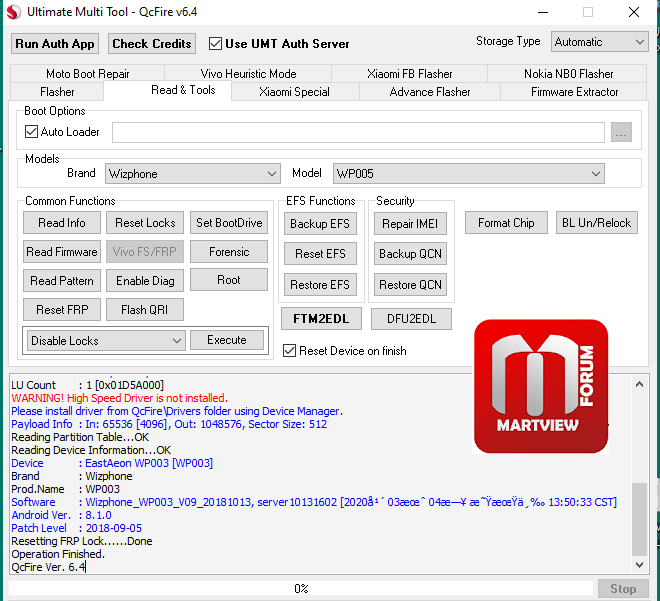
Operation : Reset FRP
Checking for existing devices...Not Found
Turn Off phone, hold Vol UP + Vol DOWN and insert USB cable.
Some phones may need Special Boot Cable or TestPoint for EDL mode.
Found Port : Qualcomm HS-USB QDLoader 9008 (COM16)
Driver Info : Qualcomm Incorporated, qu_usb_serial.sys, 2.1.2.0
Connecting to phone...OK
Waiting for response...OK
Init Handshake Sequence...OK
Hardware ID : E1600400 [8953] 00000000
OPK_DATA : 079E496E26A477B120DFCD85DF7E4AD067164D8292DDD379930D5891E3D8240B
Initializing Protocol...OK
Using Auto Loader Selection [1]
Preparing Loader...Done
Sending Loader [8953]...Done
Executing Loader...OK
Auth Enabled Device! You need Mi Auth Account to service!
Skipping Auth...OK
Detecting Chip Type...OK
Hardware : 8953, EMMC, 32 GB
LU Count : 1 [0x03A3E000]
WARNING! High Speed Driver is not installed.
Please install driver from QcFire\Drivers folder using Device Manager.
Payload Info : In: 65536 [4096], Out: 1048576, Sector Size: 512
Reading Partition Table...OK
Reading Device Information...OK
Device : Xiaomi Redmi 6 Pro [sakura_india]
Brand : xiaomi
Prod.Name : sakura_india
Software : ZQL1715-sakura_india-build-20180920192046, V9.6.5.0.ODMMIFD [Thu Sep 20 19:20:42 CST 2018]
Android Ver. : 8.1.0
Patch Level : 2018-09-05
Resetting FRP Lock......Done
Operation Finished.
QcFire Ver. 6.4
Operation : Reset FRP
Checking for existing devices...Not Found
Turn Off phone, hold Vol UP + Vol DOWN and insert USB cable.
Some phones may need Special Boot Cable or TestPoint for EDL mode.
Found Port : Qualcomm HS-USB QDLoader 9008 (COM16)
Driver Info : Qualcomm Incorporated, qu_usb_serial.sys, 2.1.2.0
Connecting to phone...OK
Waiting for response...OK
Init Handshake Sequence...OK
Hardware ID : E1600400 [8953] 00000000
OPK_DATA : 079E496E26A477B120DFCD85DF7E4AD067164D8292DDD379930D5891E3D8240B
Initializing Protocol...OK
Using Auto Loader Selection [1]
Preparing Loader...Done
Sending Loader [8953]...Done
Executing Loader...OK
Auth Enabled Device! You need Mi Auth Account to service!
Skipping Auth...OK
Detecting Chip Type...OK
Hardware : 8953, EMMC, 32 GB
LU Count : 1 [0x03A3E000]
WARNING! High Speed Driver is not installed.
Please install driver from QcFire\Drivers folder using Device Manager.
Payload Info : In: 65536 [4096], Out: 1048576, Sector Size: 512
Reading Partition Table...OK
Reading Device Information...OK
Device : Xiaomi Redmi 6 Pro [sakura_india]
Brand : xiaomi
Prod.Name : sakura_india
Software : ZQL1715-sakura_india-build-20180920192046, V9.6.5.0.ODMMIFD [Thu Sep 20 19:20:42 CST 2018]
Android Ver. : 8.1.0
Patch Level : 2018-09-05
Resetting FRP Lock......Done
Operation Finished.
QcFire Ver. 6.4