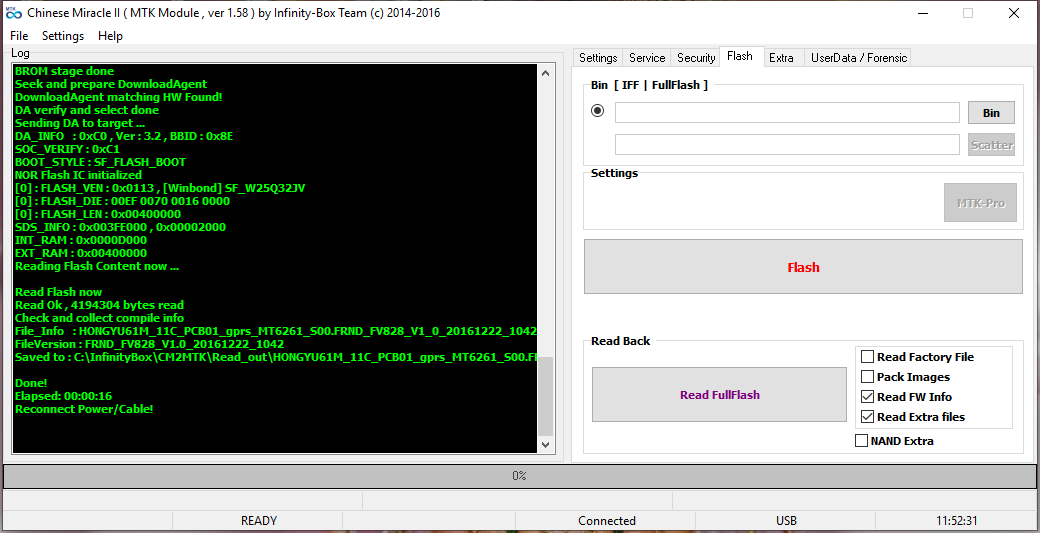
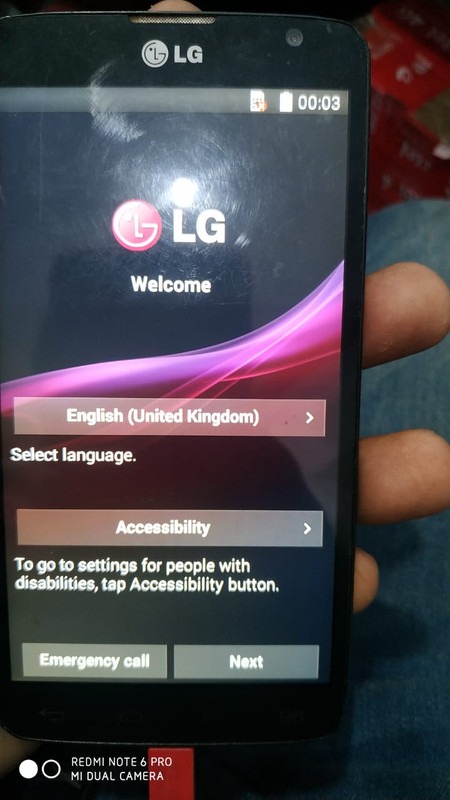
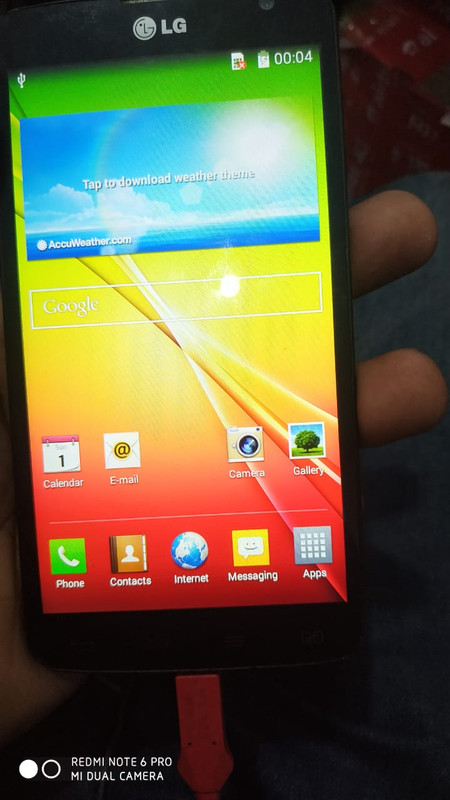
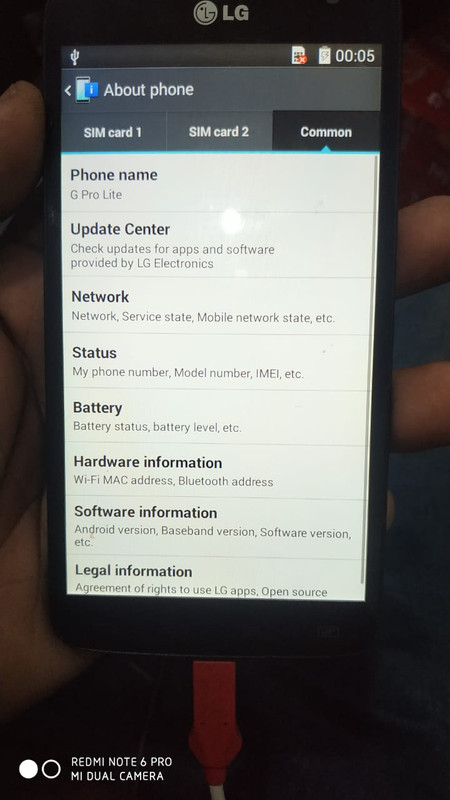
★★ Post Here All Successful Stories By Infinity-Box CM/CM2- ★★

Status
Not open for further replies.

Akhtar Ali Jatt

Product Supporter
Oct 26, 2016
304
183
Pakistan
Skype
akhtaralijatt
Sonork ID
100.1614005
Qmobile i6 Metal 1 Format Done


Operation : Format FS / Reset Settings [ v2.02 ]
Mode : Default [ Reset Settings + FRP ]

  1. Power off device, wait 10-15 seconds
  2. Press and hold BooKey ( 1 : BOTH VOL , 2 : VOL+ , 3 : VOL- )
  3. Insert cable in device!

Wait for device ...

Device Connected!
BootVersion : SPRD3
Boot : INF : 0_SC7731x_BASE : SC7731C_eMMC_1GB_NS
Sending Init Boot ...
Boot sent!
Kick FDL ...
BootVersion : Spreadtrum Boot Block version 1.1
Protocol setup ...
Port speed : 921600
Sending Flash Boot ...
Boot sent!
Kick FLASH FDL ...
ProtoEx : : TRCC not supported!
FDL : Control transfered!

Boot Done!

Wipe Ok : UserData
Wipe Ok : Cache
Wipe Ok : FRP

Reconnect Power/Cable!


Done!
Elapsed: 00:00:54
 

ravirajput

Active Member
Sep 26, 2019
43
20
Samsung GT-E1200y Dead Recovery done
Card found: S/N : CDAA878B , v0137
Chinese Miracle II [SPD module] v 1.27

Set mode to : SPD6530_SAMSUNG

Operation : Read FullFlash [ v1.27 ]

  1. Remove battery. Insert USB cable
  2. Press and hold BootKey ( Skip, if use BootCable )
  3. Insert battery

==== Wait for phone...

Phone found! [ 7 ]
Port Opened
Sync...
InitBoot Done [ 0x81 ] , Ver : SPRD3
Sync...
Sending boot ...
Boot Sent , starting...
Boot Ver : Spreadtrum Boot Block version 1.2
Boot Ok
CPU ID : 6530 , FDLStat : 00C0
[0] Flash DIE : 00C8 0060 0017 0000
[0] Flash VEN : GigaDevice , GD25LQ64
[0] Flash CAP : 00800000
Read Flash Content
Read Ok , collect info
Platform : MOCOR_W13.09_FP_R5.0.2_Debug
sc6500_samsung_EiderVESS_E1200Y_SWA
ExtInfo : LevelofLock 00000000 00000000
Project : SC6500_SAMSUNG
HWInfo : SC6500_EiderVESS
Compile : 06-01-2018 11:18:18
Saved to : C:\InfinityBox\CM2SPD\Read_out\SPD6530_SAMSUNG_00800000_MOCOR_W13.09_FP_R5.0.2_Debug_sc6500_samsung_EiderVESS_E1200Y_SWA_06012018111818.bin
Done!

Elapsed: 00:00:50

Reconnect Power/Cable!


FastCheck : SPD65xx
Load file...
Platform : MOCOR_W13.09_FP_R5.0.2_Debug
sc6500_samsung_EiderVESS_E1200Y_SWA
ExtInfo : LevelofLock 00000000 00000000
Project : SC6500_SAMSUNG
HWInfo : SC6500_EiderVESS
Compile : 06-01-2018 11:18:18
Load Ok


Operation : Flash [ v1.27 ]

======= Flash
Files set for flashing :
[ MCU ] : SPD6530_SAMSUNG_00800000_MOCOR_W13.09_FP_R5.0.2_Debug_sc6500_samsung_EiderVESS_E1200Y_SWA_06012018111818.bin

  1. Remove battery. Insert USB cable
  2. Press and hold BootKey ( Skip, if use BootCable )
  3. Insert battery

==== Wait for phone...

Phone found! [ 7 ]
Port Opened
Sync...
InitBoot Done [ 0x81 ] , Ver : SPRD3
Sync...
Sending boot ...
Boot Sent , starting...
Boot Ver : Spreadtrum Boot Block version 1.2
Boot Ok
CPU ID : 6530 , FDLStat : 00C0
[0] Flash DIE : 00C8 0060 0017 0000
[0] Flash VEN : GigaDevice , GD25LQ64
[0] Flash CAP : 00800000

======= Flashing MCU
Mapping file ...
Mapping done
Processing file : SPD6530_SAMSUNG_00800000_MOCOR_W13.09_FP_R5.0.2_Debug_sc6500_samsung_EiderVESS_E1200Y_SWA_06012018111818.bin
Init ok, send data
Flashing Done!

Info : In some cases after flash required make "Format Fs / Reset Phone"

Done!


Elapsed: 00:01:43

Reconnect Power/Cable!
 

Akhtar Ali Jatt

Product Supporter
Oct 26, 2016
304
183
Pakistan
Skype
akhtaralijatt
Sonork ID
100.1614005
Nokia 105 Format Done

Operation : Reset Settings [ v1.18 ]

  1. Make sure device is powered off. Power off, if need. Wait 10 seconds after
  2. Insert USB cable in phone
Waiting for device connection ...

PTFN : Nokia USB Serial Port (COM254)
MODE : NOKIA USB SERIAL
PORT : 254
BROM : Init BROM
BROM init passed!
CHIP : MT6261 , SBID : 0xCB01 , HWVR : 0x8000 , SWVR : 0x0001
BROM : SECCFG : 0x00000007
BROM : NOKIA USB SERIAL
BROM : 0x05 BL : 0x00
BROM : MEID : D0C28BAC68D5090E4F0EC9C264BAB040
BROM : Run BootLoader ...
BOOT : Run BL ver. 01
BOOT : 0x05 BL : 0x01
BOOT : WD : 0005
BOOT : RTC : Setup ...
BOOT : RTC : 000E
BOOT : PRJ : KESA61A.10.00.11.p2
BOOT : SWR : 10.00.11
AGENT : Look for suitable BootChain in DA ...
AGENT : DEFAULT AUTO
AGENT : Found MT6261
AGENT : KESA61A.10.00.11.p2
BOOT : Sending 1st DA ...
BOOT : DA sent
BOOT : Transfer control to DA ...
DA : Sync Passed!
DA : Authentification pass!
DA : Agent : v03.02 on BBID : 0x8E

NOR: 00EF : 0060 : 0017 : 0000
NOR: [WINBOND] W25Q64DW
NOR:
TSIZE : 0x00800000 [ 8.00 MB ]
PSIZE : 0x00800000 [ 8.00 MB ]
STYPE : 0x00000000
FLOTP : DA_NOR_OTP_EXIST

STATUS : OK
BSTYLE : SF_FLASH_BOOT

Boot done!

FFS Info exists in MAUI : 0x00580000 : 0x00278000
FFS Format ...
FFS Format Ok!

Done!
Elapsed: 00:02:12

Reconnect Power/Cable!
 

Akhtar Ali Jatt

Product Supporter
Oct 26, 2016
304
183
Pakistan
Skype
akhtaralijatt
Sonork ID
100.1614005
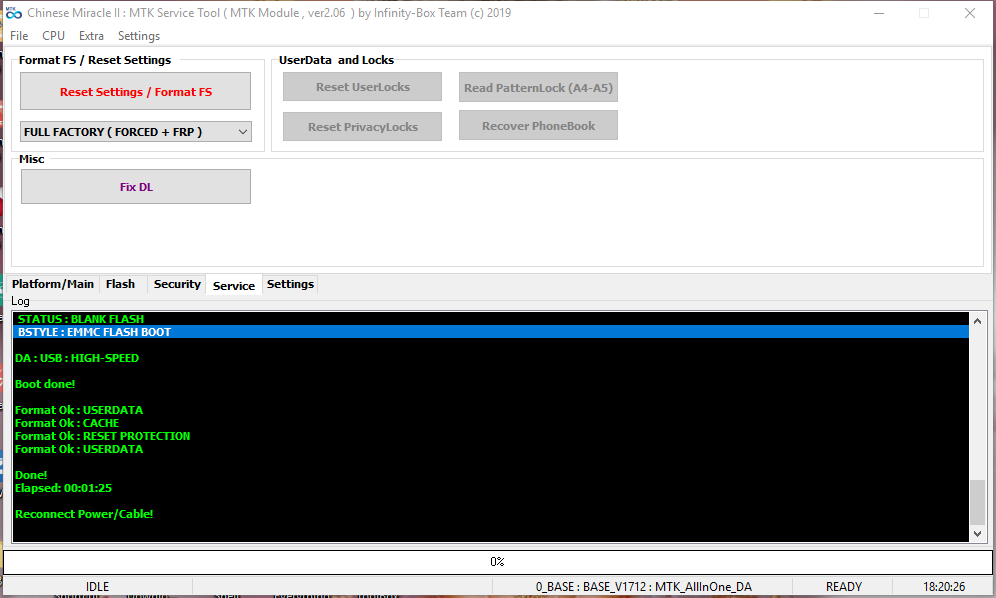
Qmobile i6i Format Done


Operation : Reset Settings/Format FS [ v2.06 ]

  1. Make sure device is powered off. Power off, if need. Wait 20 seconds after
  2. Insert USB cable in phone
Waiting for device connection ...

PTFN : MediaTek PreLoader USB VCOM (Android) (COM264)
MODE : PRELOADER PORT
PORT : 264
Waiting BOOT ack ...
PRELOADER : ACK confirmed!
BROM : Init BROM
BROM init passed!
CHIP : MT6580 , SBID : 0x8A00 , HWVR : 0xCA00 , SWVR : 0x0000
TYPE : LEGACY MTK
BROM : SecLevel : 0x00000000
BROM : SecMode : PLAIN [+PRL]
BROM : PRELOADER PORT
MODE : 0_base : BASE_v1712 | Manual : Disabled
AGENT : Look for suitable BootChain in DA ...
AGENT : MTK_AllInOne_DA.bin
AGENT : Found MT6580
AGENT : MTK_DOWNLOAD_AGENT
BROM : Sending 1st DA ...
BROM : DA sent
BROM :Transfer control to DA ...
DA : AGENT started!
NAND : DEVICE NOT FOUND
NAND : 000000000000000000000000
eMMC : OK
eMMC : 460001154D37324A6DE00242A933B3C2
DAInf: 4 : 2 : 156
DA : DRAM ready!
DA : BOOT to 2nd DA ...
DA : Receiving HW info

EMMC: 150100464A32374D4202E06DC2B333A9
EMMC: VEN : SAMSUNG | OEM : 01 | DEV : FJ27MB
EMMC:
BOOT1 : 0x00400000 [ 4.00 MB ]
BOOT2 : 0x00400000 [ 4.00 MB ]
RPMB : 0x00080000 [ 512.00 KB ]
USER : 0xE9000000 [ 3.64 GB ]

SRAM: 0x00020000 [ 128.00 KB ]
DRAM: 0x30000000 [ 768.00 MB ]

CHIP : MT6580 , SBID : 0x8A00 , HWVR : 0xCA00 , SWVR : 0x0000 , EVOL : 0x0000

RNID : 4CEB5FEC14458801E2B1DA5A2B93706F

STATUS : BLANK FLASH
BSTYLE : EMMC FLASH BOOT

DA : USB : HIGH-SPEED

Boot done!

Format Ok : USERDATA
Format Ok : CACHE
Format Ok : RESET PROTECTION
Format Ok : USERDATA

Done!
Elapsed: 00:00:22

Reconnect Power/Cable!
 

Akhtar Ali Jatt

Product Supporter
Oct 26, 2016
304
183
Pakistan
Skype
akhtaralijatt
Sonork ID
100.1614005
OALE x1 Format Done

Operation : Reset Settings/Format FS [ v2.06 ]

  1. Make sure device is powered off. Power off, if need. Wait 20 seconds after
  2. Insert USB cable in phone
Waiting for device connection ...

PTFN : MediaTek PreLoader USB VCOM (Android) (COM264)
MODE : PRELOADER PORT
PORT : 264
Waiting BOOT ack ...
PRELOADER : ACK confirmed!
BROM : Init BROM
BROM init passed!
CHIP : MT6580 , SBID : 0x8A00 , HWVR : 0xCA00 , SWVR : 0x0000
TYPE : LEGACY MTK
BROM : SecLevel : 0x00000000
BROM : SecMode : PLAIN [+PRL]
BROM : PRELOADER PORT
MODE : 0_base : BASE_v1712 | Manual : Disabled
AGENT : Look for suitable BootChain in DA ...
AGENT : MTK_AllInOne_DA.bin
AGENT : Found MT6580
AGENT : MTK_DOWNLOAD_AGENT
BROM : Sending 1st DA ...
BROM : DA sent
BROM :Transfer control to DA ...
DA : AGENT started!
NAND : DEVICE NOT FOUND
NAND : 000000000000000000000000
eMMC : OK
eMMC : 30000115564E433004150130CB811408
DAInf: 4 : 2 : 156
DA : DRAM ready!
DA : BOOT to 2nd DA ...
DA : Receiving HW info

EMMC: 1501003030434E563001150481481CB
EMMC: VEN : SAMSUNG | OEM : 01 | DEV : 00CNV0
EMMC:
BOOT1 : 0x00400000 [ 4.00 MB ]
BOOT2 : 0x00400000 [ 4.00 MB ]
RPMB : 0x00080000 [ 512.00 KB ]
USER : 0x1D2000000 [ 7.28 GB ]

SRAM: 0x00020000 [ 128.00 KB ]
DRAM: 0x40000000 [ 1.00 GB ]

CHIP : MT6580 , SBID : 0x8A00 , HWVR : 0xCA00 , SWVR : 0x0000 , EVOL : 0x0000

RNID : F24918E694F78976C9013735E689F4D1

STATUS : BLANK FLASH
BSTYLE : EMMC FLASH BOOT

DA : USB : HIGH-SPEED

Boot done!

Format Ok : USERDATA
Format Ok : CACHE
Format Ok : RESET PROTECTION
Format Ok : USERDATA

Done!
Elapsed: 00:00:35

Reconnect Power/Cable!
 
  • Like
Reactions: Deepesh Sharma

Akhtar Ali Jatt

Product Supporter
Oct 26, 2016
304
183
Pakistan
Skype
akhtaralijatt
Sonork ID
100.1614005
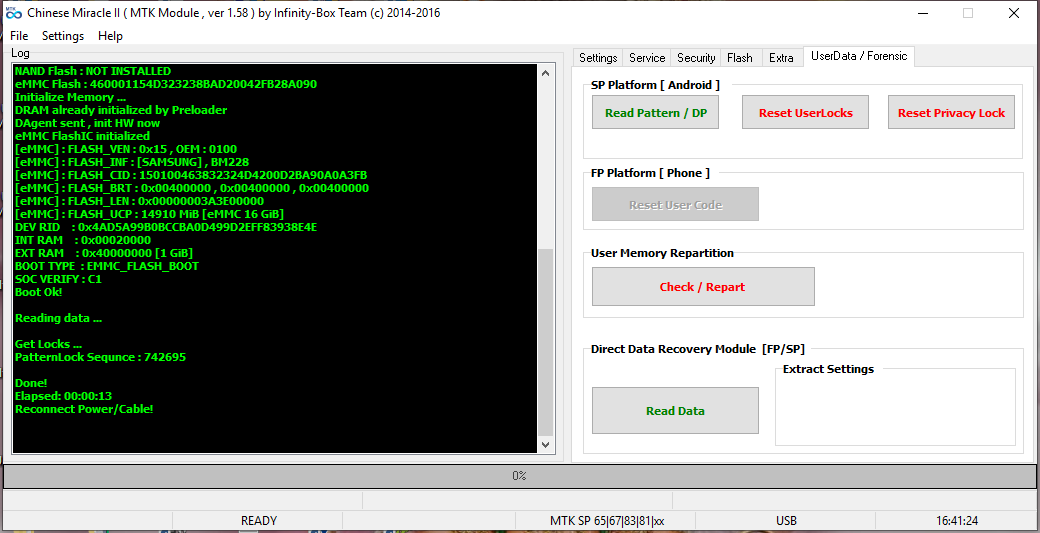
VgoTel i252 Read User Code Done

Operation : Read UserCode [ v1.58 ]

  1. Power Off Phone , Remove battery , Insert back
  2. Insert USB cable. In some cases require hold BootKey ( '*' )

Wait for phone...
Phone found! [ 255 ]
Sync...
Sync Ok, read regs...
Inital regs read done
Boot Info :
BB_CPU_ID : 6261
BB_CPU_HW : CB01
BB_CPU_SW : 0001
BB_CPU_SB : 8000
BB_CPU_NM : [MediaTek] MT6261_S0000
BB_CPU_SN : 7DB2424E780055328BC5D6CD4257950D
BROM Protocol Version : 05
Setting...
Setting done , result code 0x000E
BROM stage done
Seek and prepare DownloadAgent
DownloadAgent matching HW Found!
DA verify and select done
Sending DA to target ...
DA_INFO : 0xC0 , Ver : 3.2 , BBID : 0x8E
SOC_VERIFY : 0xC1
BOOT_STYLE : SF_FLASH_BOOT
NOR Flash IC initialized
[0] : FLASH_VEN : 0x00EC , [GigaDevice] GD25LQ32
[0] : FLASH_DIE : 00C8 0060 0016 0000
[0] : FLASH_LEN : 0x00400000
SDS_INFO : 0x003FE000 , 0x00002000
INT_RAM : 0x0000D000
EXT_RAM : 0x00400000

Read ExtData
Sorting ExtData
Reading UserCode

Active : Yes , Code : 7861

PLock|MobTrack : Not active

Done!
Elapsed: 00:00:04
Reconnect Power/Cable!
 
  • Like
Reactions: Deepesh Sharma

Deepesh Sharma

Friend's Martview
Apr 4, 2017
1,712
3,189
India
Sonork ID
100.1614172
Lyf F271i Stuck On Logo Solved
F271-I-FLASHING.png
 

Akhtar Ali Jatt

Product Supporter
Oct 26, 2016
304
183
Pakistan
Skype
akhtaralijatt
Sonork ID
100.1614005
Qmobile i6 Metal One Format Done


Operation : Format FS / Reset Settings [ v2.02 ]
Mode : Default [ Reset Settings + FRP ]

  1. Power off device, wait 10-15 seconds
  2. Press and hold BooKey ( 1 : BOTH VOL , 2 : VOL+ , 3 : VOL- )
  3. Insert cable in device!

Wait for device ...

Device Connected!
BootVersion : SPRD3
Boot : INF : 0_SC7731x_BASE : SC7731C_eMMC_1GB_NS
Sending Init Boot ...
Boot sent!
Kick FDL ...
BootVersion : Spreadtrum Boot Block version 1.1
Protocol setup ...
Port speed : 921600
Sending Flash Boot ...
Boot sent!
Kick FLASH FDL ...
ProtoEx : : TRCC not supported!
FDL : Control transfered!

Boot Done!

Wipe Ok : UserData
Wipe Ok : Cache
Wipe Ok : FRP

Reconnect Power/Cable!


Done!
Elapsed: 00:00:46
 
  • Like
Reactions: Zain Khan

Akhtar Ali Jatt

Product Supporter
Oct 26, 2016
304
183
Pakistan
Skype
akhtaralijatt
Sonork ID
100.1614005
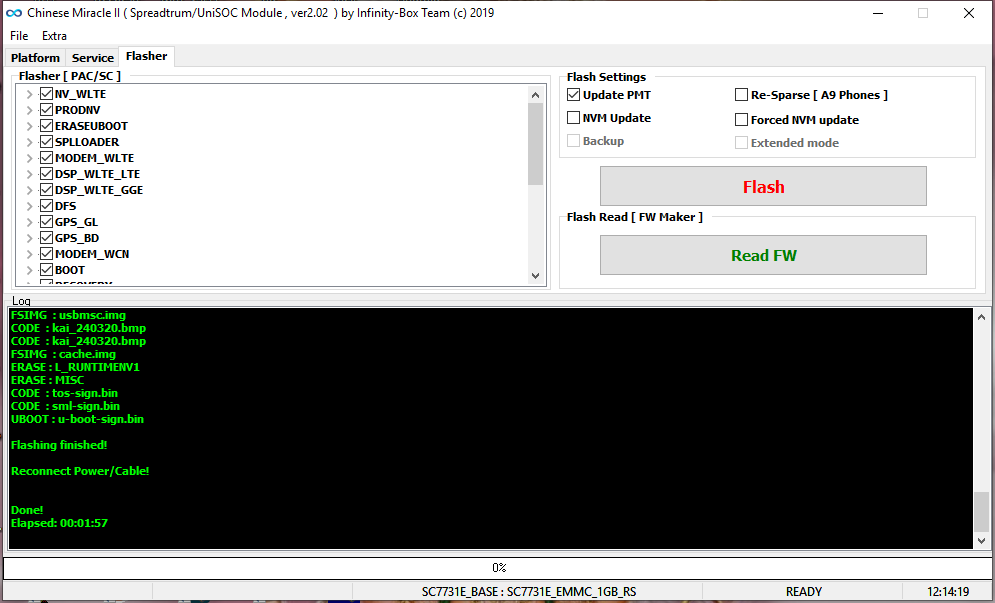
Qmobile i6 Metal One V2 FullFlash Done


Operation : Flash Firmware [ v2.02 ]

Setting : Update NVRAM : False
Setting : Force NVRAM : False
Setting : Update PMT : False

  1. Power off device, wait 10-15 seconds
  2. Press and hold BooKey ( 1 : BOTH VOL , 2 : VOL+ , 3 : VOL- )
  3. Insert cable in device!

Wait for device ...

Device Connected!
BootVersion : SPRD3
Boot : PAC : I6_METAL_ONE_i6_Metal_ONE_new_6.0_MRA58K_release-keys_QMobile_i6_Metal_ONE V4.0_14_12.pac
Sending Init Boot ...
Boot sent!
Kick FDL ...
BootVersion : Spreadtrum Boot Block version 1.1
Protocol setup ...
Port speed : 921600
Sending Flash Boot ...
Boot sent!
Kick FLASH FDL ...
ProtoEx : : TRCC not supported!
FDL : Control transfered!

Boot Done!

CODE : prodnv.img
ERASE : UBOOT
ERASE : WRUNTIMENV1
ERASE : WCNRUNTIMENV1
ERASE : MISC
UBOOT : u-boot-spl-16k.bin
CODE : sc7731C_CP0_modem.bin
CODE : DSP_DM_Gx.bin
CODE : sc8830g_modem_CP2_WCN_Trunk_W16.28.5_Release.bin
CODE : logo_480x854.bin
CODE : fblogo_480x854.bin
CODE : boot.img
FSIMG : system.img
CODE : sysinfo.img
FSIMG : cache.img
CODE : recovery.img
FSIMG : userdata.img
UBOOT : u-boot.bin

Flashing finished!

Reconnect Power/Cable!


Done!
Elapsed: 00:09:31
 

Akhtar Ali Jatt

Product Supporter
Oct 26, 2016
304
183
Pakistan
Skype
akhtaralijatt
Sonork ID
100.1614005
Qmobile Qsmart Format & Read FFW Done

Operation : Format FS / Reset Settings [ v2.02 ]
Mode : Default [ Reset Settings + FRP ]

  1. Power off device, wait 10-15 seconds
  2. Press and hold BooKey ( 1 : BOTH VOL , 2 : VOL+ , 3 : VOL- )
  3. Insert cable in device!

Wait for device ...

Device Connected!
BootVersion : SPRD3
Boot : INF : 0_SC7731E_BASE : SC7731E_eMMC_1GB_RS
Sending Init Boot ...
Boot sent!
Kick FDL ...
BootVersion : Spreadtrum Boot Block version 1.1
Protocol setup ...
Port speed : 921600
Sending Flash Boot ...
Boot sent!
Kick FLASH FDL ...
FDL : Control transfered!

Boot Done!

Wipe Ok : UserData
Wipe Ok : Cache
Wipe Ok : FRP

Reconnect Power/Cable!


Done!
Elapsed: 00:00:33


Code:
Operation : Read FW [ v2.02 ]

1. Power off device, wait 10-15 seconds
2. Press and hold BooKey ( 1 : BOTH VOL , 2 : VOL+ , 3 : VOL- )
3. Insert cable in device!

Wait for device ... 

Device Connected!
BootVersion : SPRD3
Boot : INF : 0_SC7731E_BASE : SC7731E_eMMC_1GB_RS
Sending Init Boot ... 
Boot sent!
Kick FDL ... 
BootVersion : Spreadtrum Boot Block version 1.1
Protocol setup ... 
Port speed : 921600
Sending Flash Boot ... 
Boot sent!
Kick FLASH FDL ... 
FDL : Control transfered!

Boot Done!

Device info : 
Patch Level    : PPR1.180610.011
Display ID     : PPR1.180610.011 release-keys
Ver. CodeName  : REL
Ver. Release   : 9
Sec. Patch     : 2019-05-05
Build Time     : 1558944550
Product Info   : i10_2019
Product Model  : i10 2019
Product Brand  : QSmart
Product Name   : i10_2019
Product Device : i10_2019
Product Manfct : QMobile
Product Model  : i10 2019
Product Model  : i102019
Product Board  : QSmart
Board Platform : sp7731e

VlnrLevel : 0x00

SP7731E__QMobile__i102019__9__PPR1.180610.011__i10_2019

Read : prodnv.img
ExtSparse : Compression ratio : 8%
Read : phase.cfg
Read : recovery.img
Read : tos.bin
Read : sml.bin
Read : u-boot.bin
Read : boot_logo.bmp
Read : fastboot_logo.bmp
Read : nvitem_w.bin
Make : persist.img
Read : gnssmodem.bin
Read : gnssbdmodem.bin
Read : modem_wcn.img
Read : modem_w.bin
Read : deltanv_w.bin
Read : gdsp_w.bin
Read : pm_sys.bin
Read : boot.img
Read : dtb.img
Read : dtbo.img
Read : system.img
ExtSparse : Compression ratio : 93%
Make : cache.img
Read : vendor.img
ExtSparse : Compression ratio : 49%
Read : otp_product.img
ExtSparse : Compression ratio : 2%
Read : vbmeta.img
Make : userdata.img
Read : u-boot-spl.bin

Firmware size : 0x720E7014 ( 1.78 GiB )
Android Info saved : _Android_info.txt
Reconnect Power/Cable!


Done!
Elapsed: 00:35:11
 

Akhtar Ali Jatt

Product Supporter
Oct 26, 2016
304
183
Pakistan
Skype
akhtaralijatt
Sonork ID
100.1614005
Qmobile fire Format Done


Operation : Identify [ v2.02 ]

  1. Power off device, wait 10-15 seconds
  2. Press and hold BooKey ( 1 : BOTH VOL , 2 : VOL+ , 3 : VOL- )
  3. Insert cable in device!

Wait for device ...

Device Connected!
BootVersion : SPRD3
Boot : INF : 0_SC7731E_BASE : SC7731E_eMMC_1GB_RS
Sending Init Boot ...
Boot sent!
Kick FDL ...
BootVersion : Spreadtrum Boot Block version 1.1
Protocol setup ...
Port speed : 921600
Sending Flash Boot ...
Boot sent!
Kick FLASH FDL ...
FDL : Control transfered!

Boot Done!

Device info :
Patch Level : OPM2.171019.012
Display ID : QMobileFire_MP_22_09
Ver. CodeName : REL
Ver. Release : 8.1.0
Sec. Patch : 2018-09-05
Build Time : 1537586245
Product Model : Fire
Product Brand : QMobile
Product Name : Fire
Product Device : Fire
Product Manfct : QMobile
Product Info : Fire
Product Board : sp7731e_1h10
Board Platform : sp7731e

Update DataBase ...


Platform Version: MOCORTM_17C_W18.23.4_P2_Debug
Project Version: pike2_pub
BASE Version: FM_BASE_17C_W18.23.4_P2
HW Version: sc7731e_modem

MODEM TAG : MOCORTM_17C_W18.23.4_P2_Debug_FM_BASE_17C_W18.23.4 _P2_sc7731e_modem_pike2_pub

UserData : STATE : PLAIN


Done!
Elapsed: 00:01:42

Operation : Format FS / Reset Settings [ v2.02 ]
Mode : Default [ Reset Settings + FRP ]

  1. Power off device, wait 10-15 seconds
  2. Press and hold BooKey ( 1 : BOTH VOL , 2 : VOL+ , 3 : VOL- )
  3. Insert cable in device!

Wait for device ...

Device Connected!
BootVersion : SPRD3
Boot : INF : 0_SC7731E_BASE : SC7731E_eMMC_1GB_RS
Sending Init Boot ...
Boot sent!
Kick FDL ...
BootVersion : Spreadtrum Boot Block version 1.1
Protocol setup ...
Port speed : 921600
Sending Flash Boot ...
Boot sent!
Kick FLASH FDL ...
FDL : Control transfered!

Boot Done!

Wipe Ok : UserData
Wipe Ok : Cache
Wipe Ok : FRP

Reconnect Power/Cable!


Done!
Elapsed: 00:00:33
 
  • Like
Reactions: Zain Khan

Akhtar Ali Jatt

Product Supporter
Oct 26, 2016
304
183
Pakistan
Skype
akhtaralijatt
Sonork ID
100.1614005
Qmobile Dual One F.R.p Reset Done


Operation : Reset Settings/Format FS [ v2.06 ]

  1. Make sure device is powered off. Power off, if need. Wait 20 seconds after
  2. Insert USB cable in phone
Waiting for device connection ...

PTFN : MediaTek PreLoader USB VCOM (Android) (COM264)
MODE : PRELOADER PORT
PORT : 264
Waiting BOOT ack ...
PRELOADER : ACK confirmed!
BROM : Init BROM
BROM init passed!
CHIP : MT6580 , SBID : 0x8A00 , HWVR : 0xCA00 , SWVR : 0x0000
TYPE : LEGACY MTK
BROM : SecLevel : 0x00000000
BROM : SecMode : PLAIN [+PRL]
BROM : PRELOADER PORT
MODE : 0_base : BASE_v1712 | Manual : Disabled
AGENT : Look for suitable BootChain in DA ...
AGENT : MTK_AllInOne_DA.bin
AGENT : Found MT6580
AGENT : MTK_DOWNLOAD_AGENT
BROM : Sending 1st DA ...
BROM : DA sent
BROM :Transfer control to DA ...
DA : AGENT started!
NAND : DEVICE NOT FOUND
NAND : 000000000000000000000000
eMMC : OK
eMMC : 460001154D32584E34110142253445FC
DAInf: 4 : 2 : 156
DA : DRAM ready!
DA : BOOT to 2nd DA ...
DA : Receiving HW info

EMMC: 150100464E58324D42011134FC453425
EMMC: VEN : SAMSUNG | OEM : 01 | DEV : FNX2MB
EMMC:
BOOT1 : 0x00400000 [ 4.00 MB ]
BOOT2 : 0x00400000 [ 4.00 MB ]
RPMB : 0x00080000 [ 512.00 KB ]
USER : 0x1D2000000 [ 7.28 GB ]

SRAM: 0x00020000 [ 128.00 KB ]
DRAM: 0x40000000 [ 1.00 GB ]

CHIP : MT6580 , SBID : 0x8A00 , HWVR : 0xCA00 , SWVR : 0x0000 , EVOL : 0x0000

RNID : C908240A8D4ECEC04480B698B83809DB

STATUS : BLANK FLASH
BSTYLE : EMMC FLASH BOOT

DA : USB : HIGH-SPEED

Boot done!

Format Ok : RESET PROTECTION

Done!
Elapsed: 00:00:14

Reconnect Power/Cable!
 

Akhtar Ali Jatt

Product Supporter
Oct 26, 2016
304
183
Pakistan
Skype
akhtaralijatt
Sonork ID
100.1614005
VgoTel i12 Read User Code Done


Operation : Read UserCode [ v1.58 ]

  1. Power Off Phone , Remove battery , Insert back
  2. Insert USB cable. In some cases require hold BootKey ( '*' )

Wait for phone...
Phone found! [ 10 ]
Sync...
Sync Ok, read regs...
Inital regs read done
Boot Info :
BB_CPU_ID : 6261
BB_CPU_HW : CB01
BB_CPU_SW : 0001
BB_CPU_SB : 8000
BB_CPU_NM : [MediaTek] MT6261_S0000
BB_CPU_SN : 01A98288F60A70DF2E0BBA262C1B59F1
BROM Protocol Version : 05
Setting...
Setting done , result code 0x000E
BROM stage done
Seek and prepare DownloadAgent
DownloadAgent matching HW Found!
DA verify and select done
Sending DA to target ...
DA_INFO : 0xC0 , Ver : 3.2 , BBID : 0x8E
SOC_VERIFY : 0xC1
BOOT_STYLE : SF_FLASH_BOOT
NOR Flash IC initialized
[0] : FLASH_VEN : 0x0112 , [MXIC] MX25L3291FWJI_09
[0] : FLASH_DIE : 00C2 0020 0016 0000
[0] : FLASH_LEN : 0x00400000
SDS_INFO : 0x003FE000 , 0x00002000
INT_RAM : 0x0000D000
EXT_RAM : 0x00400000

Read ExtData
Sorting ExtData
Reading UserCode

Active : Yes , Code : 1199

PLock|MobTrack : Not active

Done!
Elapsed: 00:00:34
Reconnect Power/Cable!
 

Akhtar Ali Jatt

Product Supporter
Oct 26, 2016
304
183
Pakistan
Skype
akhtaralijatt
Sonork ID
100.1614005
Qmobile Dual One Format Done


Operation : Reset Settings/Format FS [ v2.06 ]

  1. Make sure device is powered off. Power off, if need. Wait 20 seconds after
  2. Insert USB cable in phone
Waiting for device connection ...

PTFN : MediaTek PreLoader USB VCOM (Android) (COM264)
MODE : PRELOADER PORT
PORT : 264
Waiting BOOT ack ...
PRELOADER : ACK confirmed!
BROM : Init BROM
BROM init passed!
CHIP : MT6580 , SBID : 0x8A00 , HWVR : 0xCA00 , SWVR : 0x0000
TYPE : LEGACY MTK
BROM : SecLevel : 0x00000000
BROM : SecMode : PLAIN [+PRL]
BROM : PRELOADER PORT
MODE : 0_base : BASE_v1712 | Manual : Disabled
AGENT : Look for suitable BootChain in DA ...
AGENT : MTK_AllInOne_DA.bin
AGENT : Found MT6580
AGENT : MTK_DOWNLOAD_AGENT
BROM : Sending 1st DA ...
BROM : DA sent
BROM :Transfer control to DA ...
DA : AGENT started!
NAND : DEVICE NOT FOUND
NAND : 000000000000000000000000
eMMC : OK
eMMC : 460001154D32584E34110142253445FC
DAInf: 4 : 2 : 156
DA : DRAM ready!
DA : BOOT to 2nd DA ...
DA : Receiving HW info

EMMC: 150100464E58324D42011134FC453425
EMMC: VEN : SAMSUNG | OEM : 01 | DEV : FNX2MB
EMMC:
BOOT1 : 0x00400000 [ 4.00 MB ]
BOOT2 : 0x00400000 [ 4.00 MB ]
RPMB : 0x00080000 [ 512.00 KB ]
USER : 0x1D2000000 [ 7.28 GB ]

SRAM: 0x00020000 [ 128.00 KB ]
DRAM: 0x40000000 [ 1.00 GB ]

CHIP : MT6580 , SBID : 0x8A00 , HWVR : 0xCA00 , SWVR : 0x0000 , EVOL : 0x0000

RNID : C908240A8D4ECEC04480B698B83809DB

STATUS : BLANK FLASH
BSTYLE : EMMC FLASH BOOT

DA : USB : HIGH-SPEED

Boot done!

Format Ok : USERDATA
Format Ok : CACHE
Format Ok : RESET PROTECTION
Format Ok : USERDATA

Done!
Elapsed: 00:02:10

Reconnect Power/Cable!
 
  • Like
Reactions: irfanatk
Status
Not open for further replies.
Top